

UI / UX Design Case Study
Patreon Discover Creators
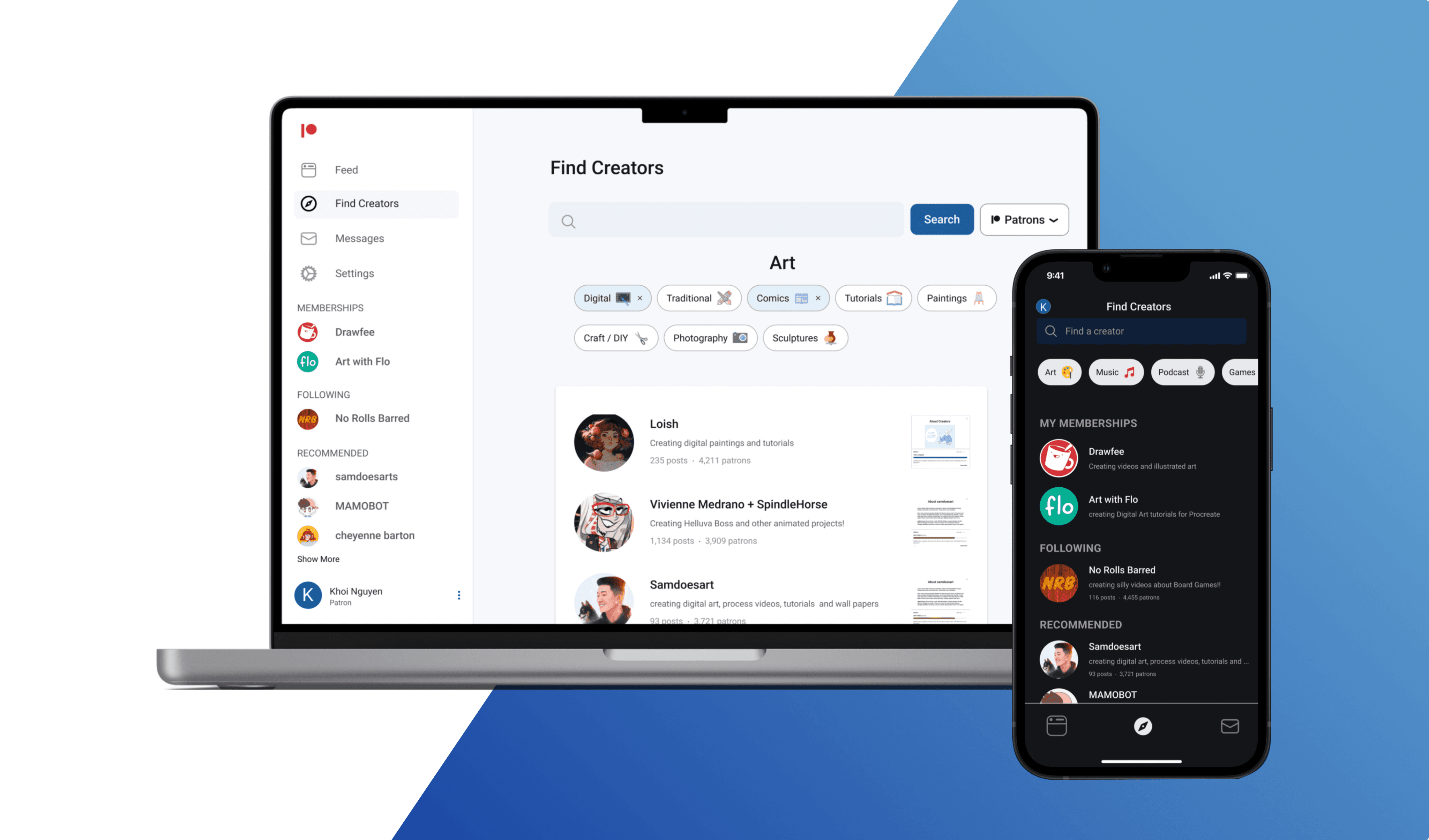
Validated Patreon's future design
Overview
Product Foresight Validated!
Disclaimer: Completed before Patreon's October 2023 rebrand. My final design reflects an older UI however the discovery feature was validated, as it matches the solution implemented in the live platform!
Patreon serves as a vital platform enabling content creators to monetize their work and secure funding for their passion projects.
As an active user, I was motivated to improve the core user experience, focusing on the challenge of discovery. Aiming to improve ways for patrons to easily find and support content creators.
This case study details my process of researching, wireframing and designing, to better support creators through discoverability.
Key Results & Value:
Strategic Validation: My design for the discovery feature was validated by Patreon's update which implement a similar solution.
Reduced task completion time by 30% in usability testing users found creators within 2 minutes post-redesign
Constraint-Driven Analysis: Adapted my research methodology by pivoting to external methodologies to gather data and insights.
Role
UX/UI Designer
Researcher
Team
Solo
Timeline
8 Weeks
Platform
Web / Mobile
Tools
Figma
Sneak Peek
The Why
Design that has a Triple Win: Value for Users, Creators, and the Business.
Improving creator discoverability is essential to the health and growth of the Patreon ecosystem, which supports over 250,000 creators as of 2022. The ability for users to easily find and filter the right content is critical for platform retention and success.
Key Benefits:
Creator Benefits
Creators are the lifeblood of this platform. Improving discoverability helps creators gain more exposure, engagement and monetization.
Business Benefits
Helps Patreon as a business by attracting new users and retaining existing users. Leading to revenue through engagement and subscriptions.
User Benefits
Improvements to discoverability will allow users to find creators they like and improve the ecosystem.
Users of Patreon want a quick and easy way to access and find creators that appeal to their interests, currently, it is difficult to navigate and filter through the current search process. This leads users to not engage with this feature.
Challenges
Designing a system with no budget
Design System
Adhering to Patreon's design system and brand guidelines (2022)
Finding Users
Patreon is not a social platform, recruiting users to perform tests and gather data was difficult.
Prototypes
Creating prototype versions for both web and mobile applications to give the most authentic experience for testing.
Research
Finding users on a non social platform...
My initial task was to establish the current state of creator discovery by answering three core questions:
Frequency: How often do users find creators natively on the platform?
Feature Awareness: Are patrons aware of the existing search function, and how often do they utilize it?
Current UX Journey: Does the existing discovery and search flow align with user mental models?
Overcoming Recruitment Barriers
Within the first few days, I encountered my biggest challenge: recruiting participants. Patreon was not built as a social platform (at least between users) and lacks in-app messaging, finding users on the platform was difficult.
To overcome this constraint, I looked at alternative sources:
External Digital Communities
Turning to online communities such as Discord and Reddit helped gather additional data to proceed with the study.
Platform Communities
Using creator community sections for recruitment, but limitations due to inconsistent user interaction across creators.
Working with what I have I managed to survey six users, this provided a base foundation for my research:
Key Insights
📉 Problem Identified
Search Functionality: Categories are too broad; lacks essential sorting/filtering features.
Discovery Reliance: Users primarily find creators via external platforms (e.g., YouTube), not natively.
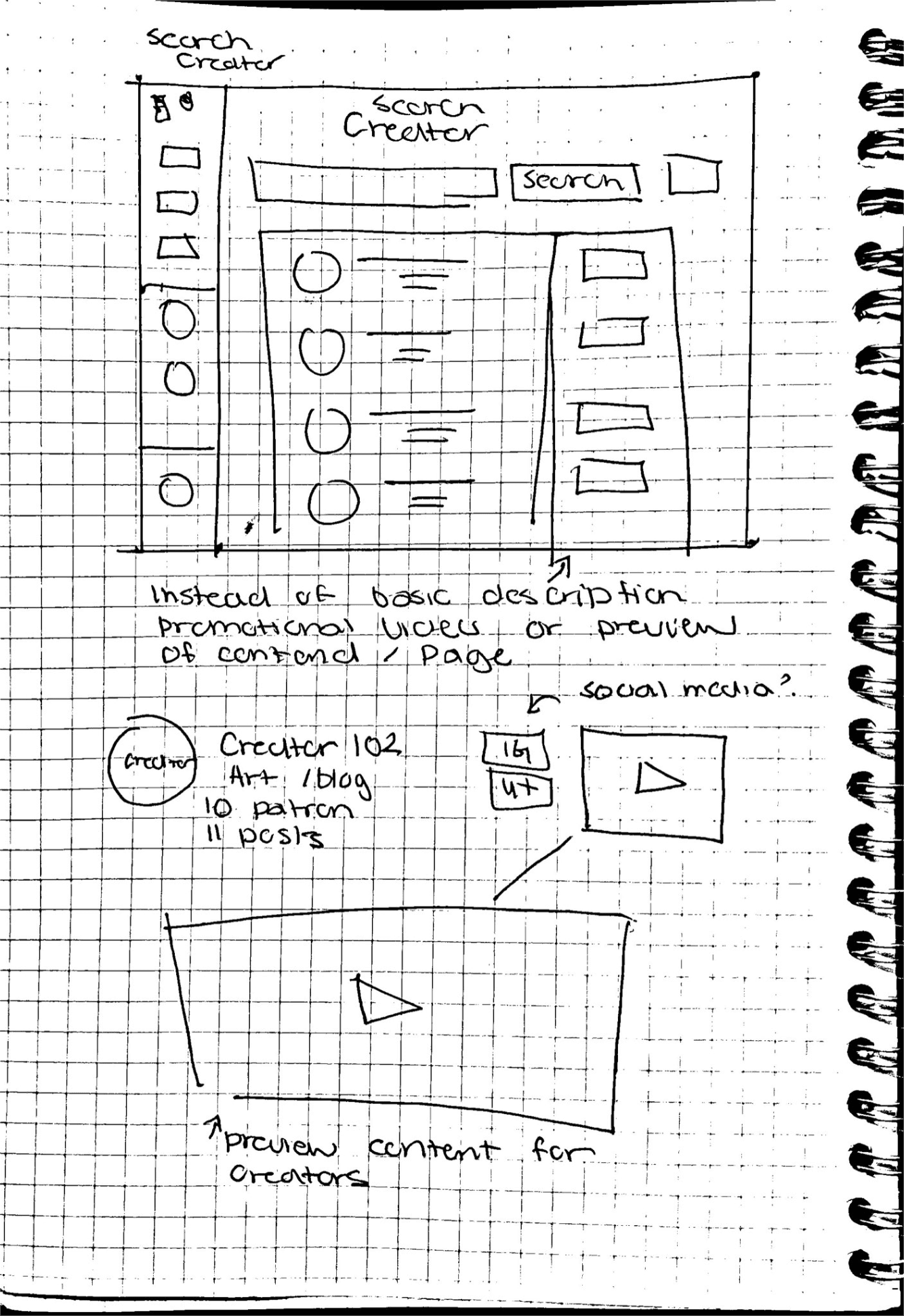
Content Differentiation: Lack of sufficient previews and vague creator descriptions.
User Behaviour: Users support a max of 2–3 creators and use the mobile app less frequently.
💡 Design Opportunity
Implement a flexible, filtering system to enable precise content discovery.
Redesign the homepage/app flow to prioritize native, personalized discovery features.
Introduce rich media previews (videos/snippets) on mobile and structured description fields.
Focus mobile UI efforts on streamlining key actions to increase engagement and frequency of use.

UX Audit
The surprising user interview results led me to conduct an impromptu UX audit of the existing Discover feature to validate the reported pain points.
I identified that the search experience was limited and lacked fundamental filtering capabilities.
For example: For Digital Art, the current experience groups all creatives regardless of medium under one general umbrella.
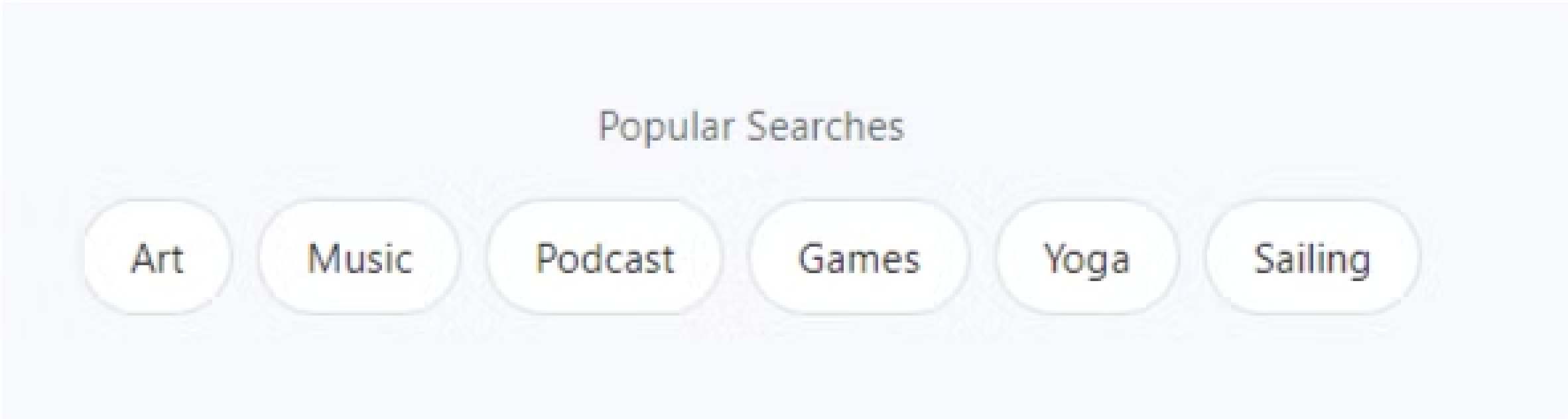
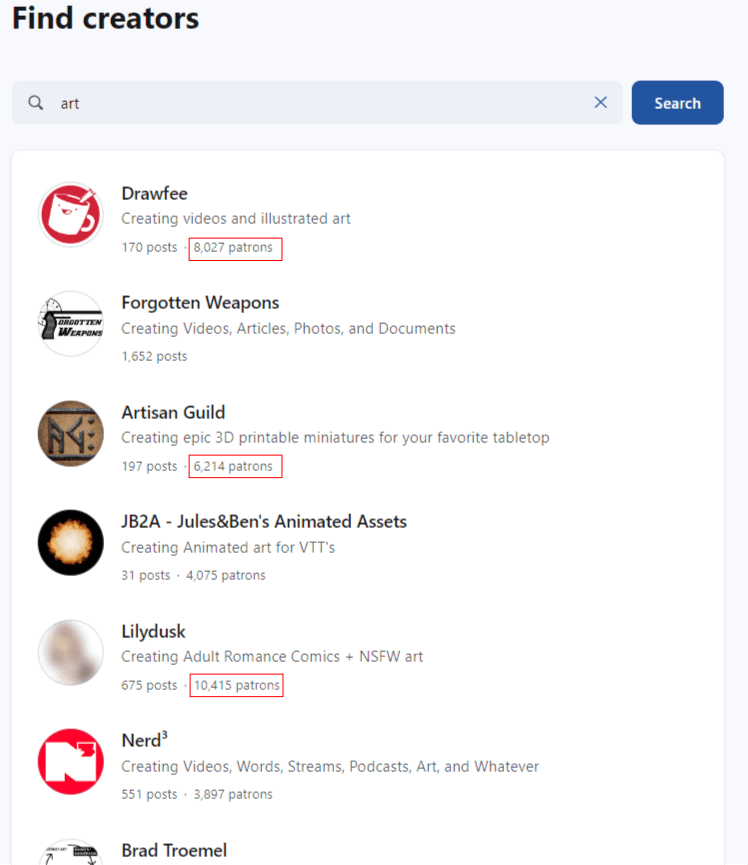
After selecting a category, I found that the results were random with no way to filter creators. additionally, results were shown randomly with no clear criteria for sorting.
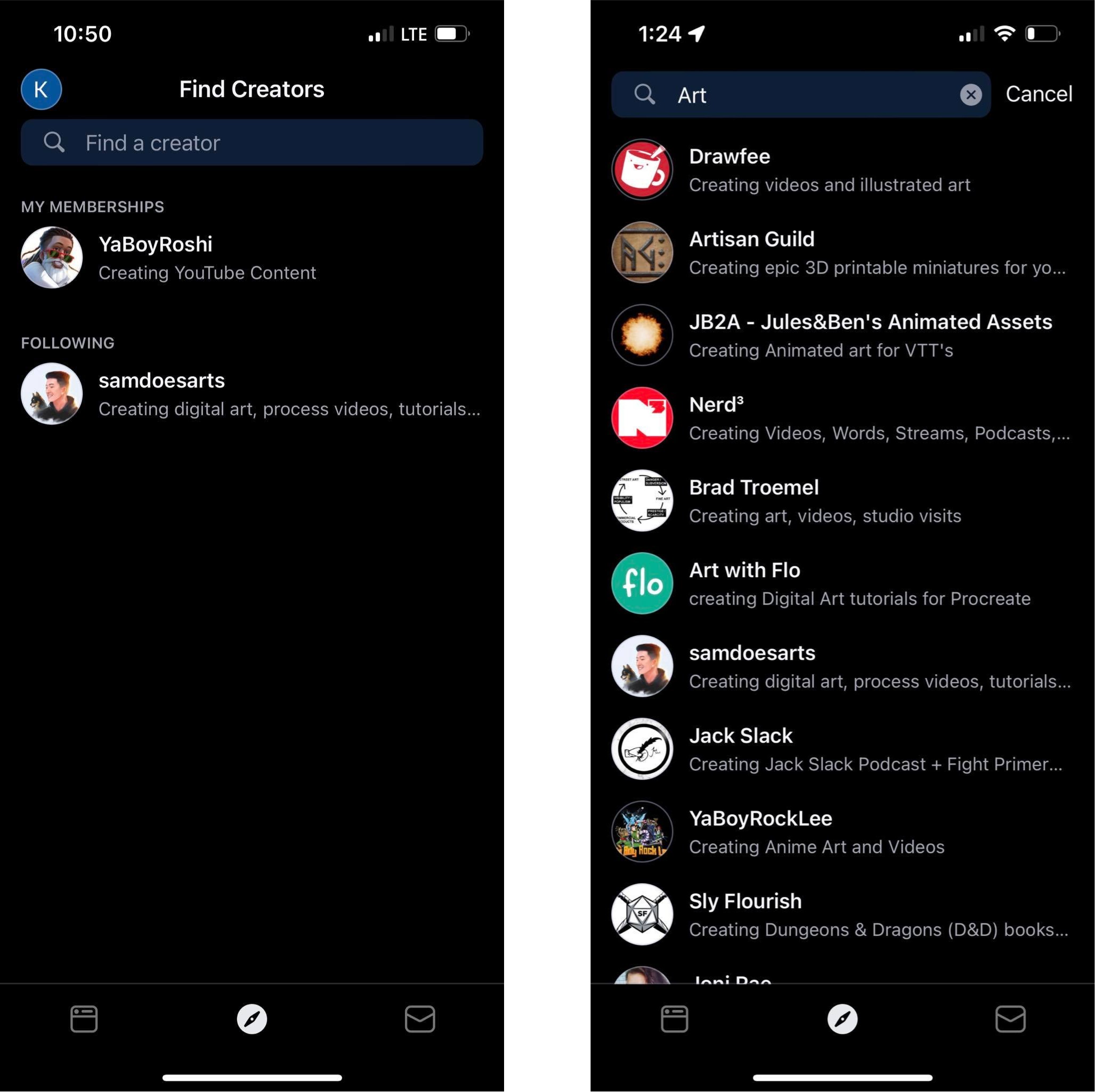
The mobile app was lacking even further. In terms of search capabilities, and no categories to choose. general umbrella.
Competitors in the Space
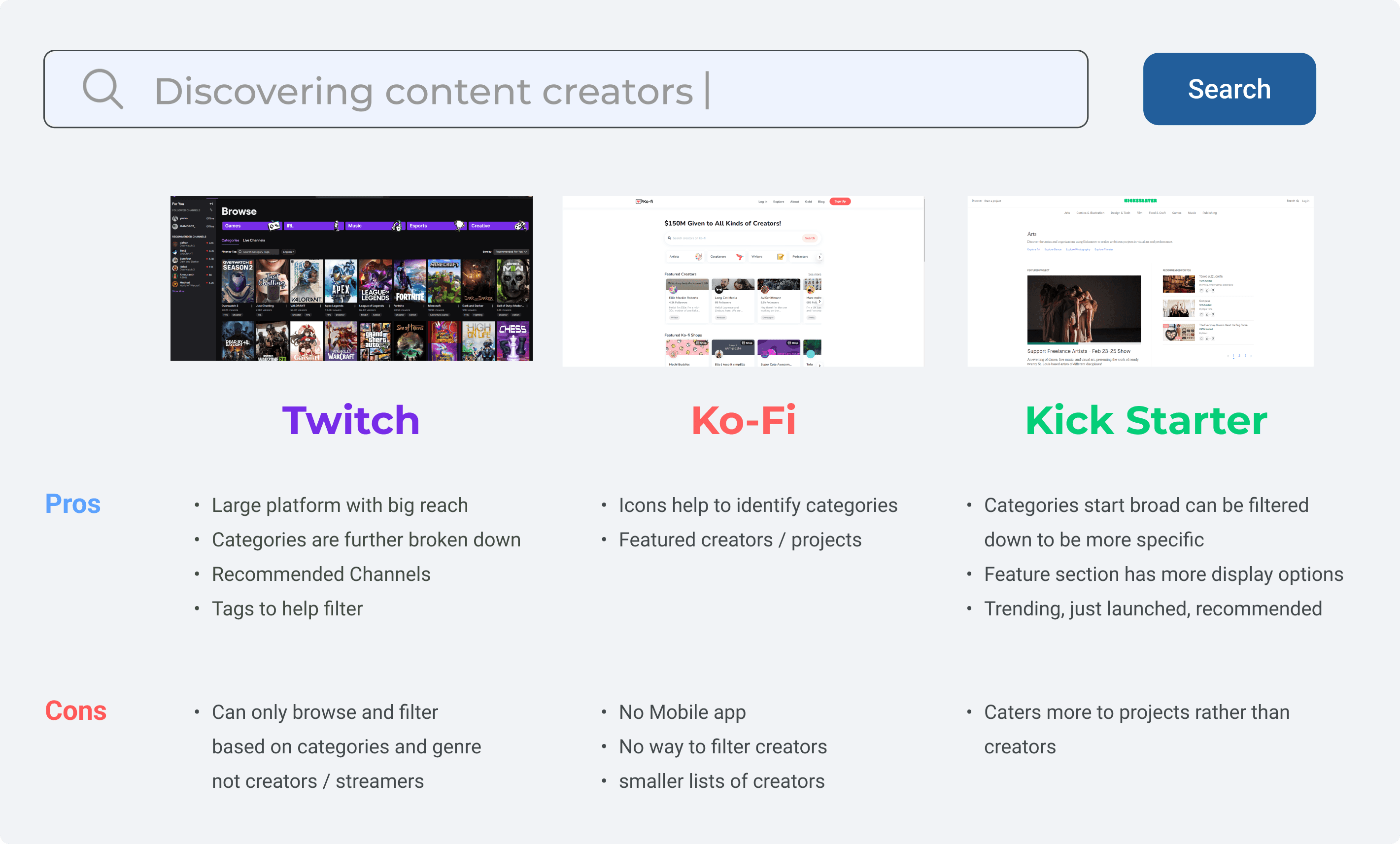
To help supplement the limited user data gathered during recruitment, I conducted a competitor analysis focusing on how established and niche platforms in the creator monetization space handle discovery.
The services I analysed were Twitch, Kickstarter, and Ko-fi. Comparing their designs, user experience, and overall discovery effectiveness.
User Motivation:
Analysing how different platforms motivate users to engage with and support new creators.
Discovery Design Patterns
Identifying successful UI/UX patterns used for content filtering, sorting, and presentation.
Research Summary
Working with what I have I managed to survey six users, this provided a base foundation for my research:
📉 Findings
Search
Description
Familiarity
Filtering
💡 Gaps
Design Action
Personas
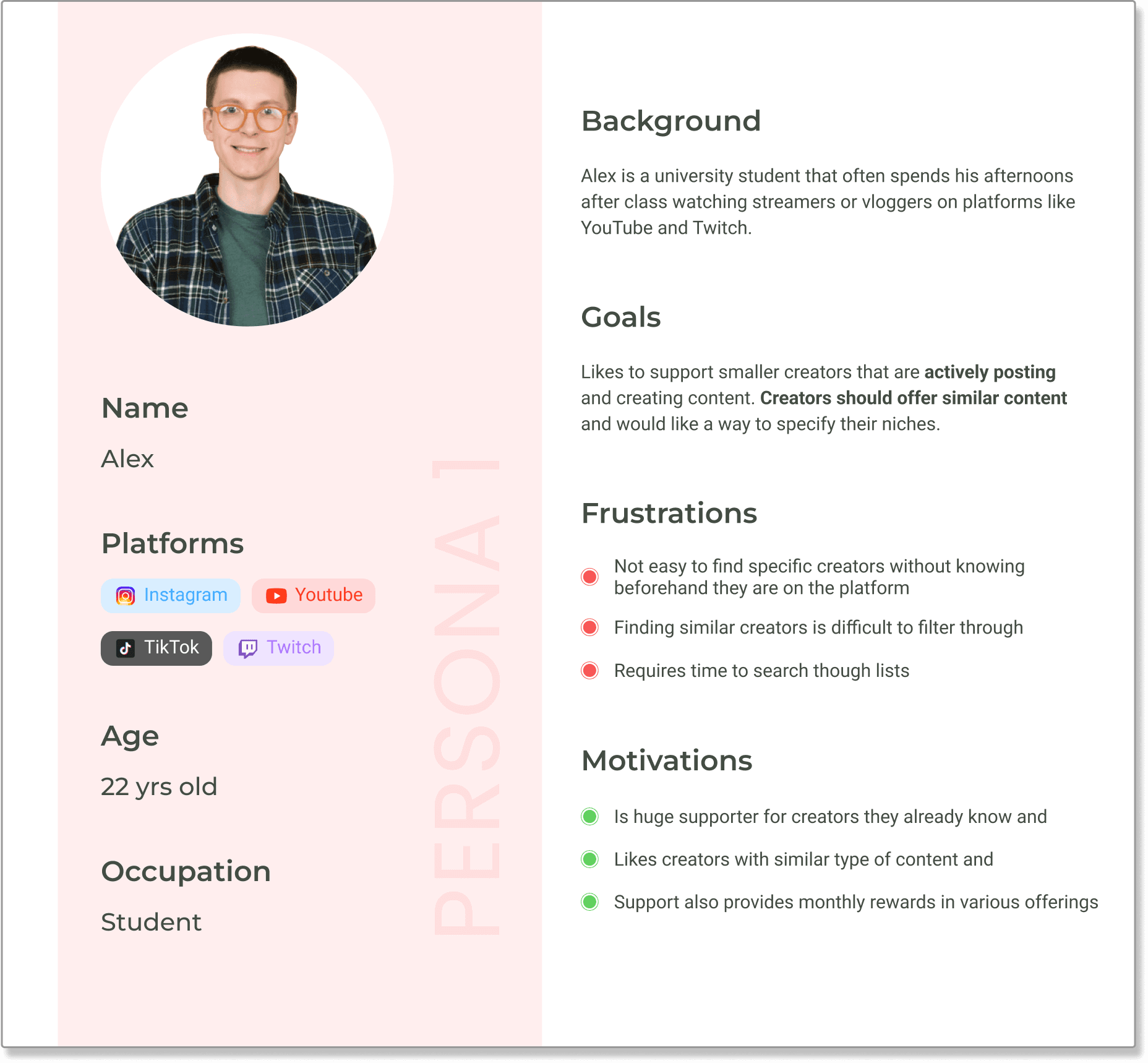
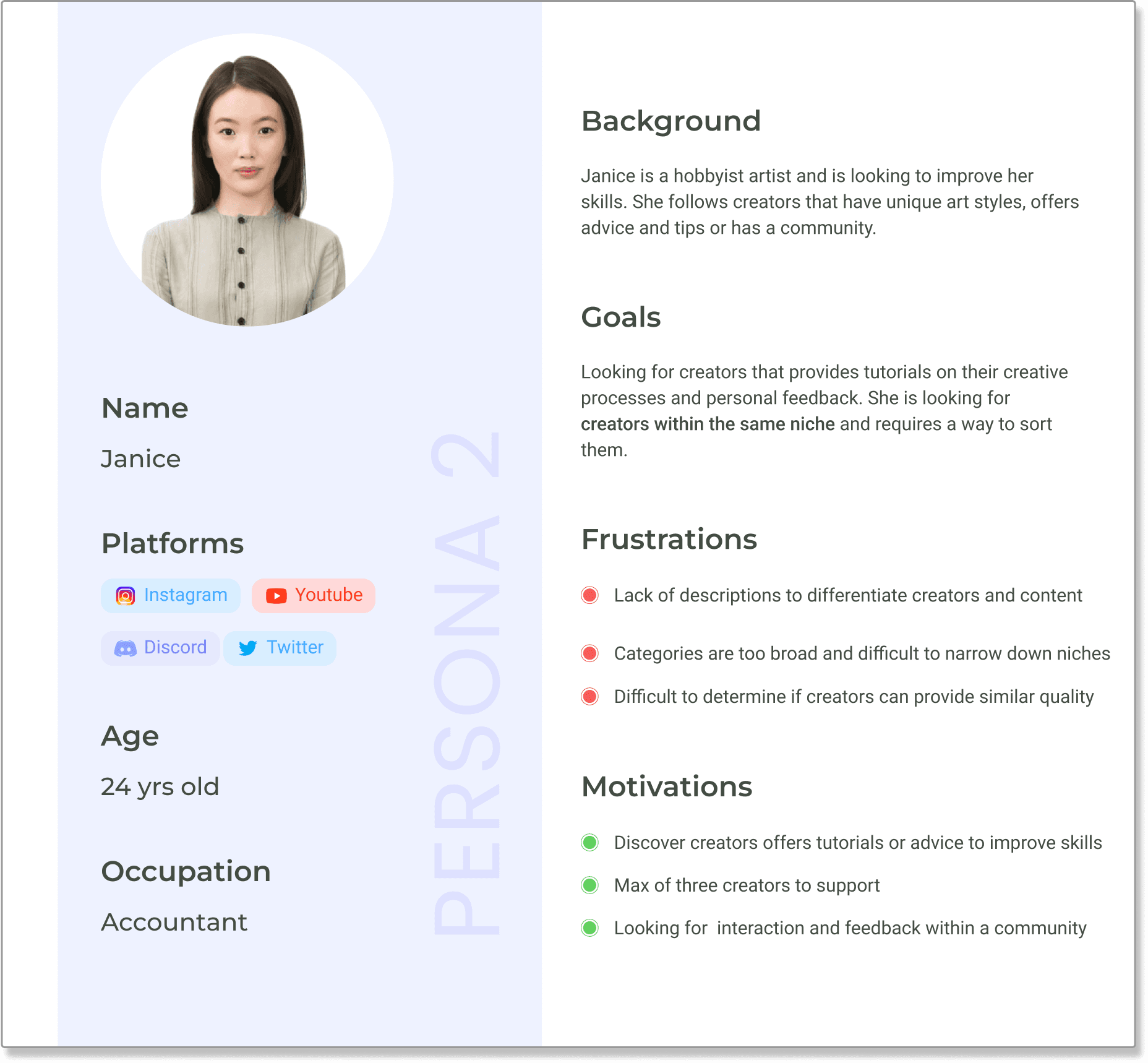
Due to the constraints in recruiting users, I created personas as a supplement for missing user data from my user interviews and audits.
These profiles helped focus my design solutions on the needs of these personas as users who are likely to utilize the search and discovery features.
Design Goals
Defining the Solution: Three Goals to Fix Creator Discovery and Search.
Using personas and research findings as a foundation, I defined three core objectives to guide the redesign of the search and discovery feature.
🔄 Recommend Content
Promote similar creators and group content based on themes.
🔎 Discover Creators
Improve visibility for all creators to reduce reliance on external discovery.
⚙️ Narrow the Search
Introduce filtering/sorting and expand category options to solve core usability pain points.
User Flows
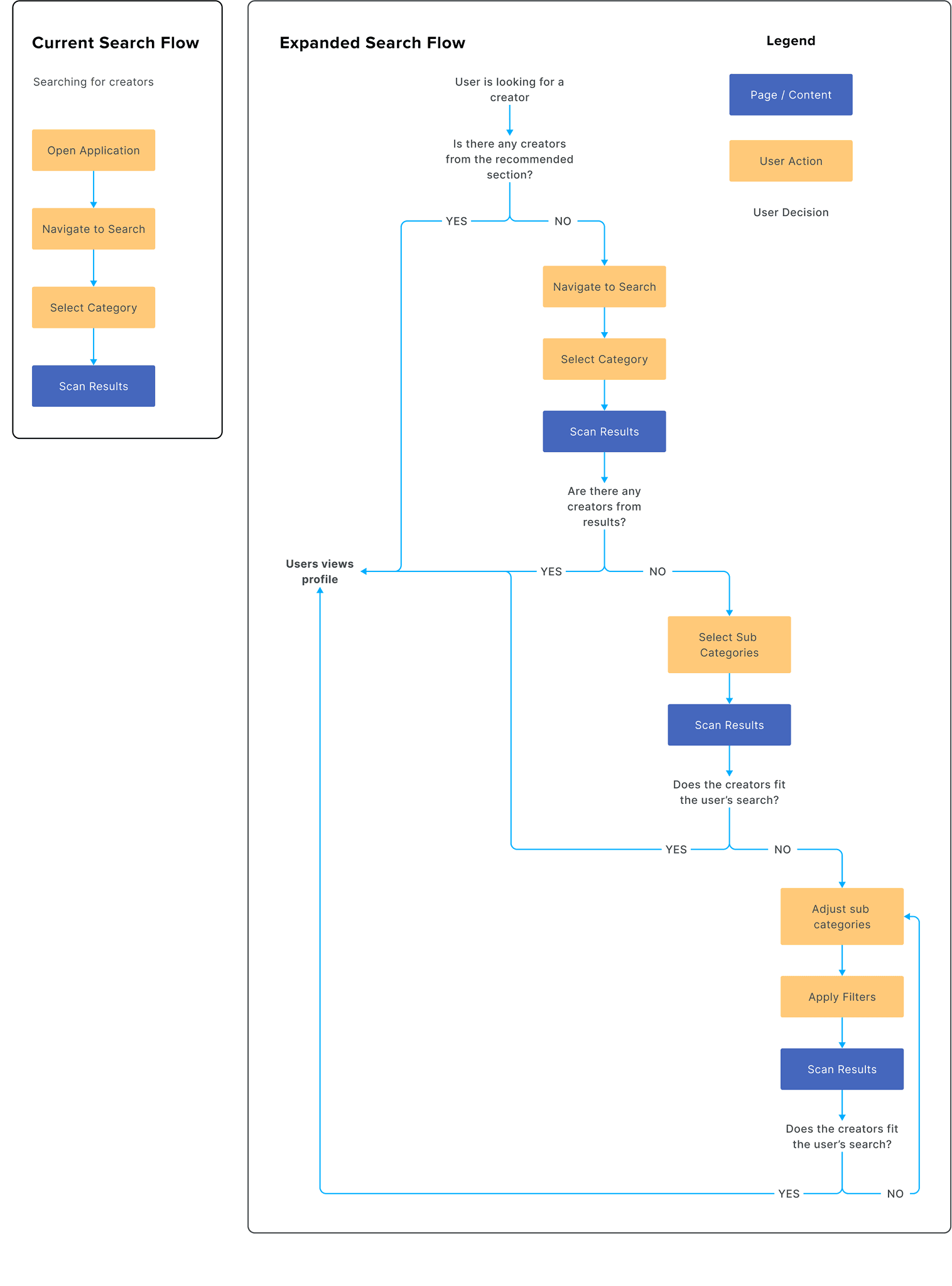
The existing search experience was functional but failed to curate the experience. I created an expanded flow chart to map what my design aimed to improve, across various scenarios, effectively acting as a guide to my design.
This expanded flow integrated features such as filtering, sorting, and category expansion.
Wireframes
Iterations on Iterations
V1: Initial Design
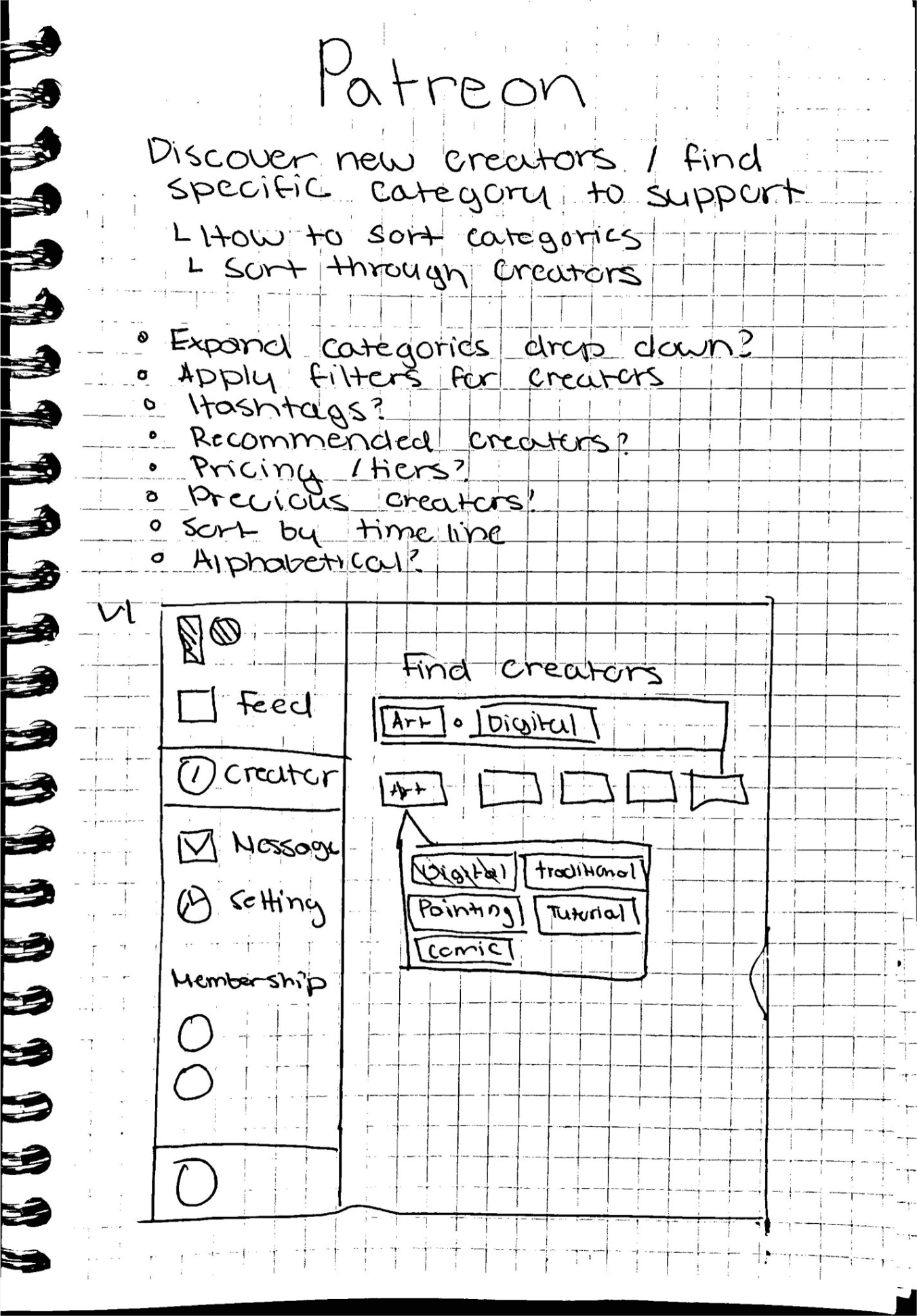
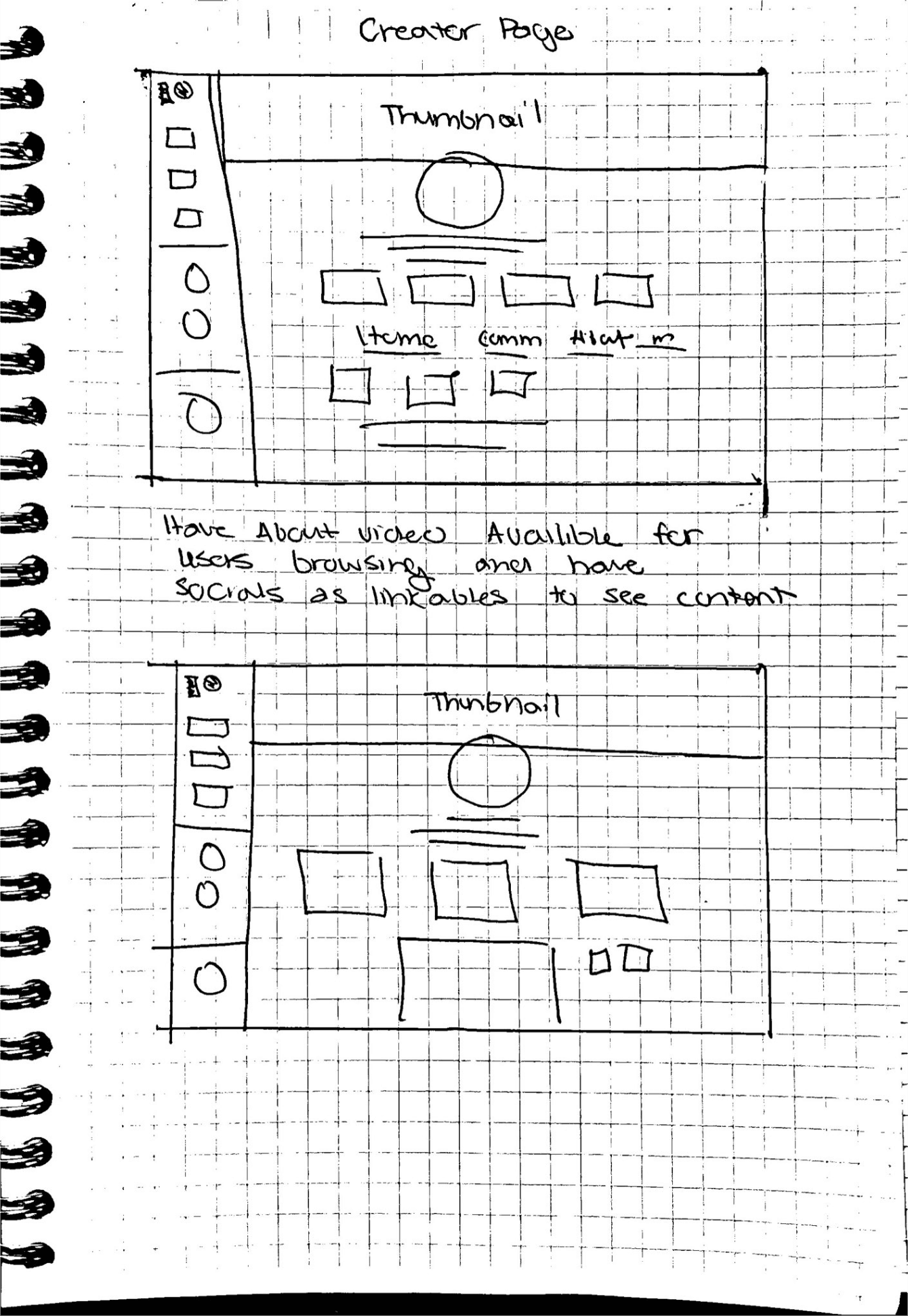
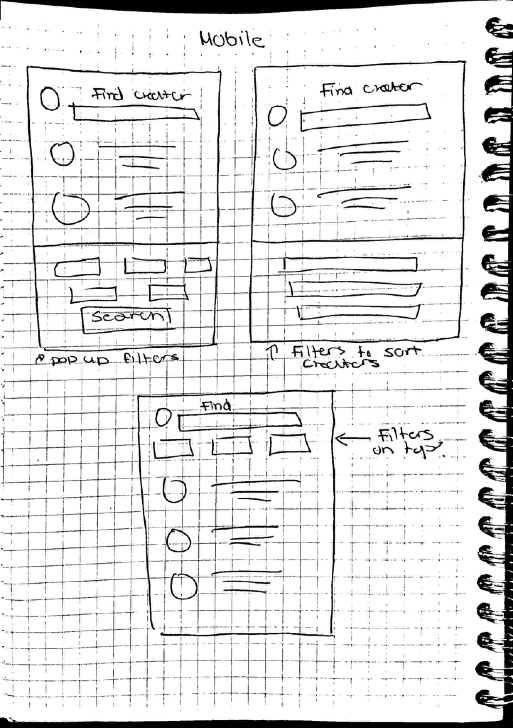
Starting with sketches I looked into solving the base search issue through sorting.
Expanded Categories
Expand listed categories to help sort and group different creators.
Recommended tab
Promote similar creators based on content users consumed or pages they recently visited.
Recommended was simple to implement, expanding categories however, did not fix the filtering problem the system was still too generalized and needed to be more specific over search results.
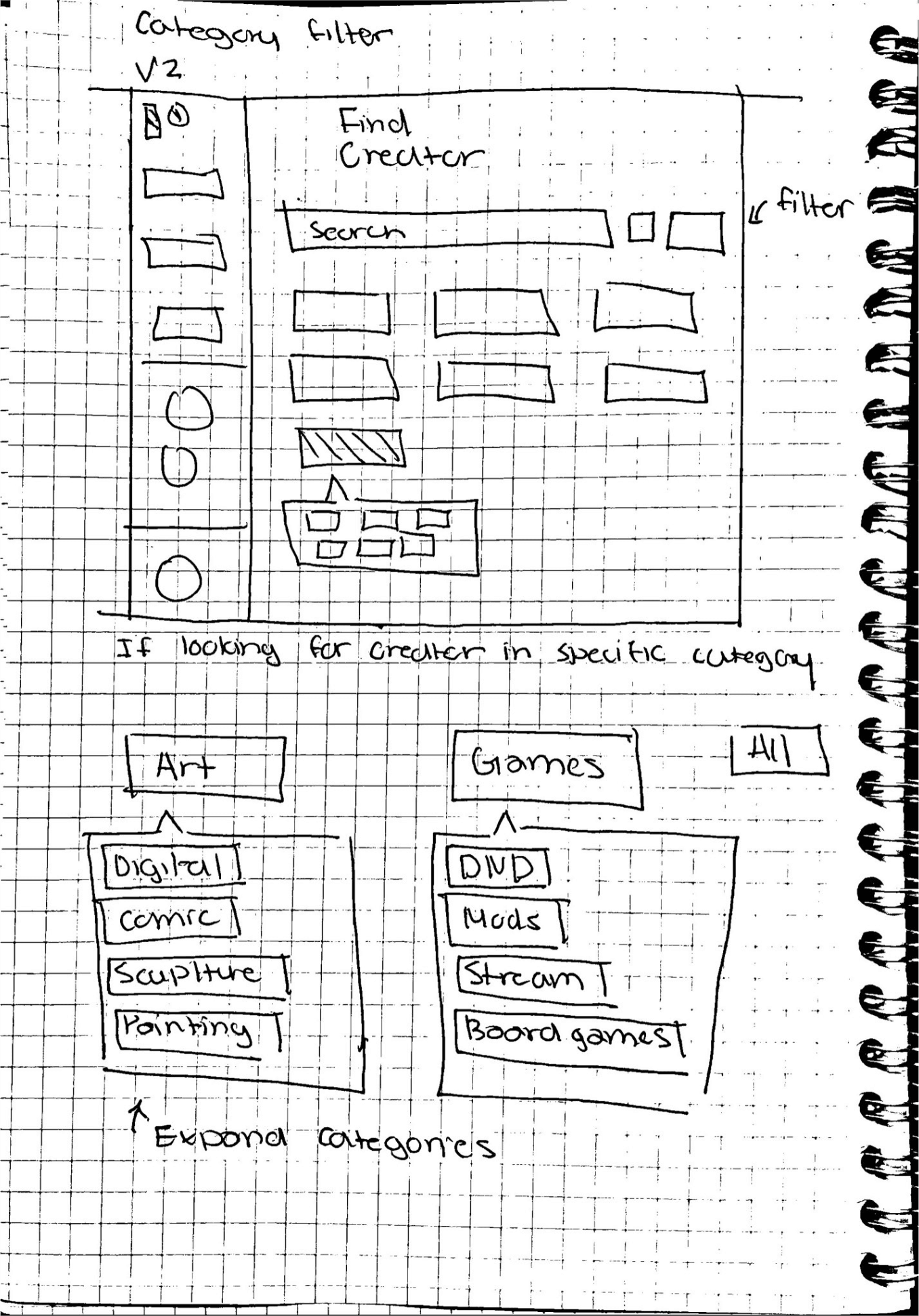
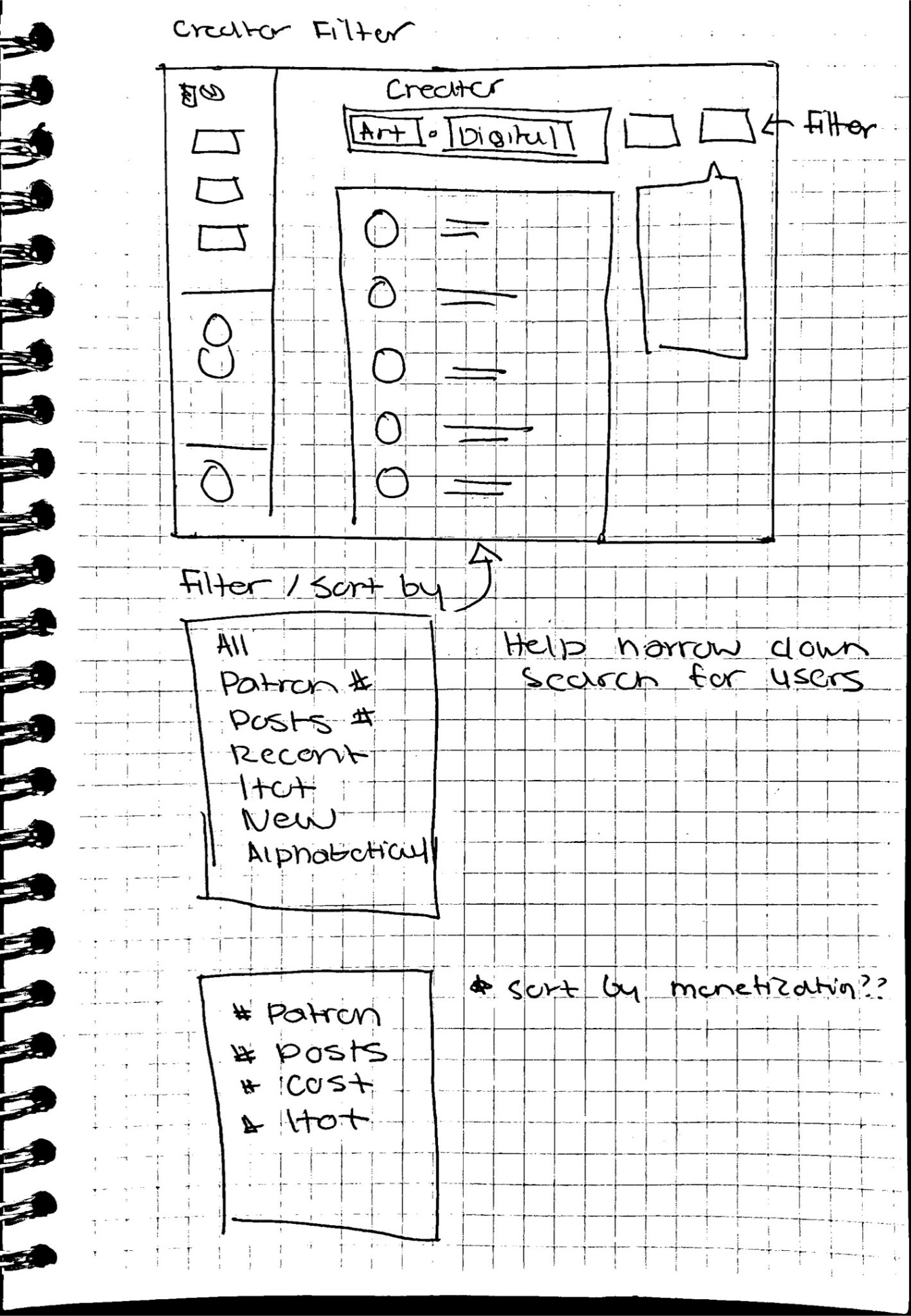
V2: Improving the Clunkyness
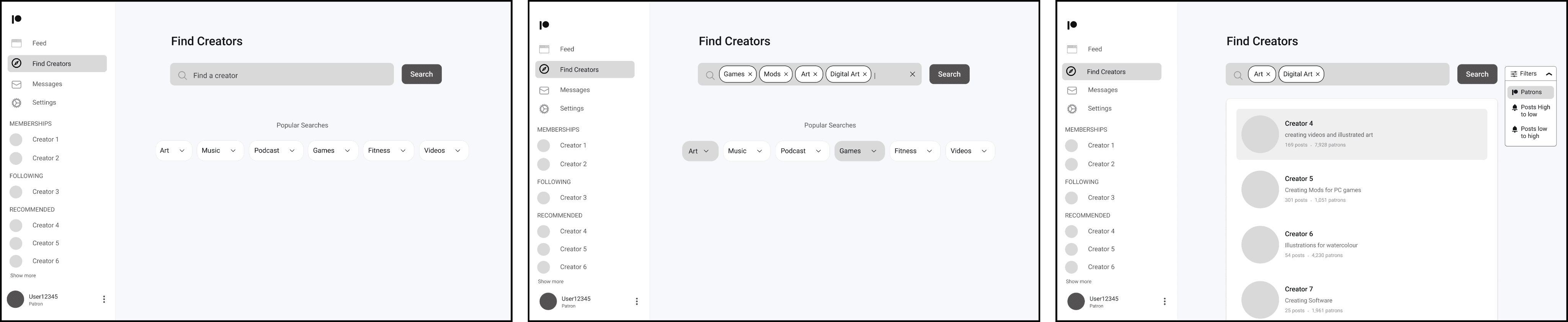
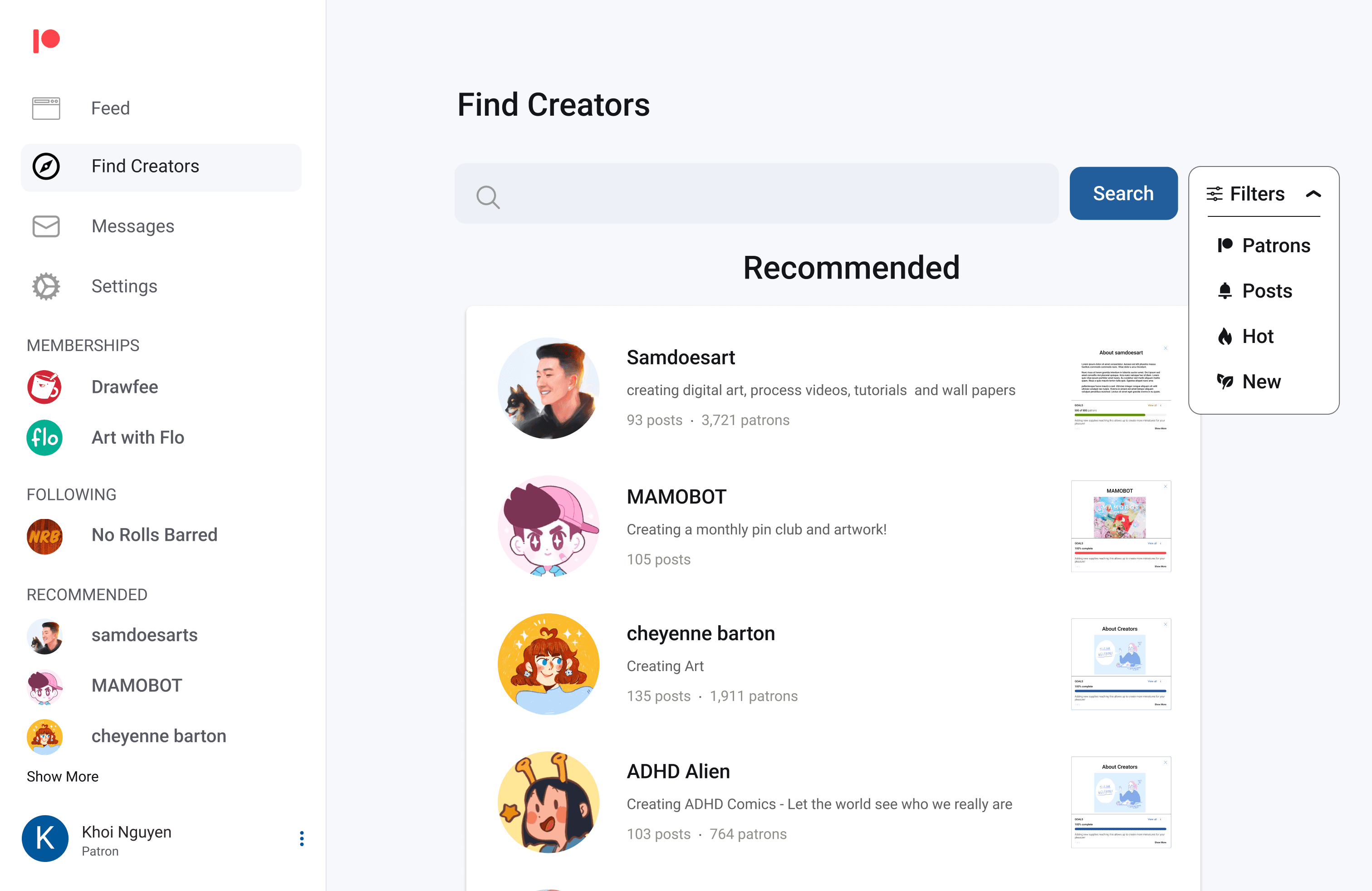
Filters
Filter thousands of creators based on metrics such as number of patrons, posts, and monetization tiers
Subcategories
Improved sorting through subcategories and tags to narrow searches.
Feedback: Multi-select tags cluttered the search bar, and filters based on monetization (like Tiers) did not impact a user's decision to support a creator. As such I removed this metric from sorting.
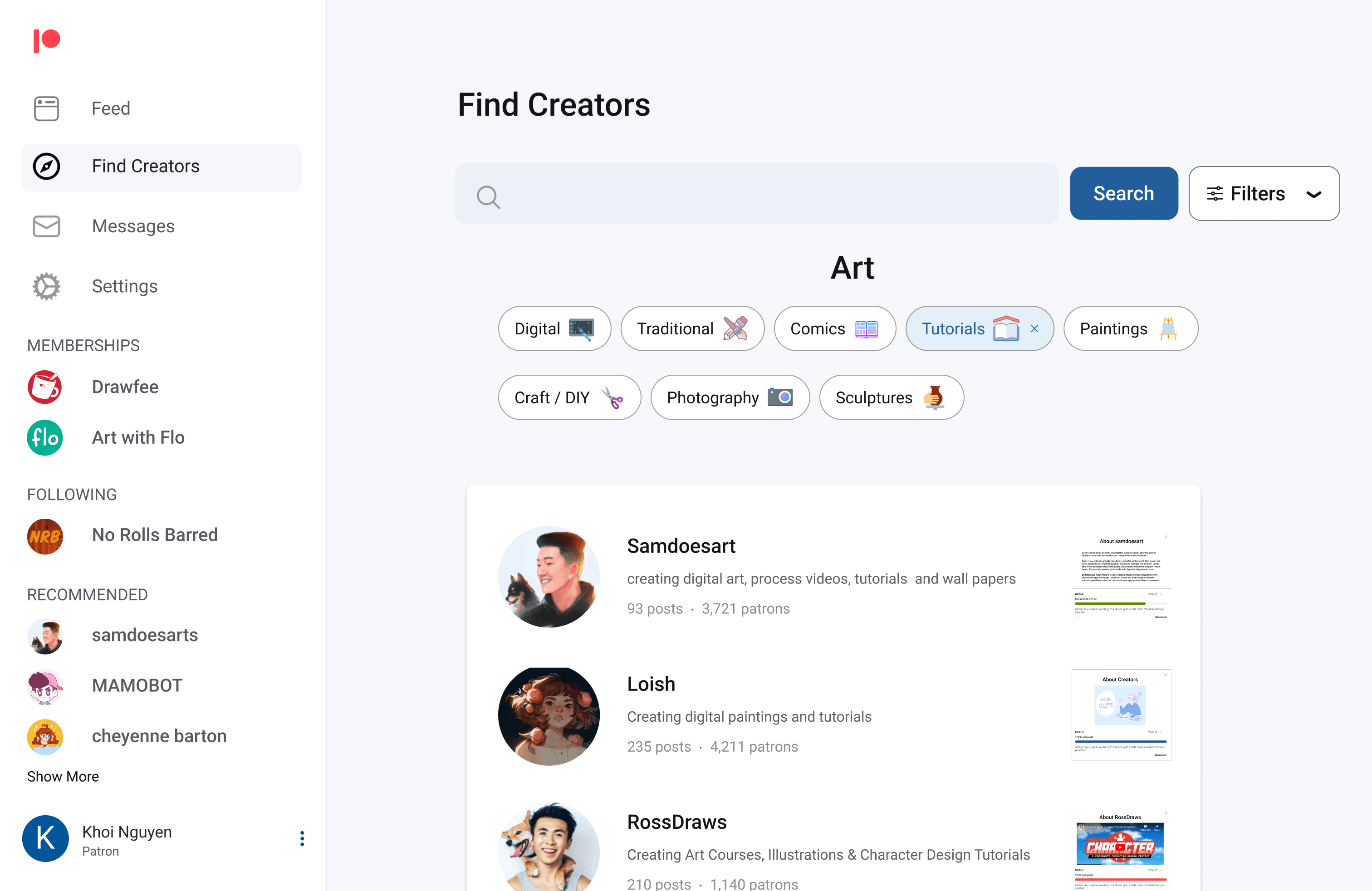
V3: Third time the charm!
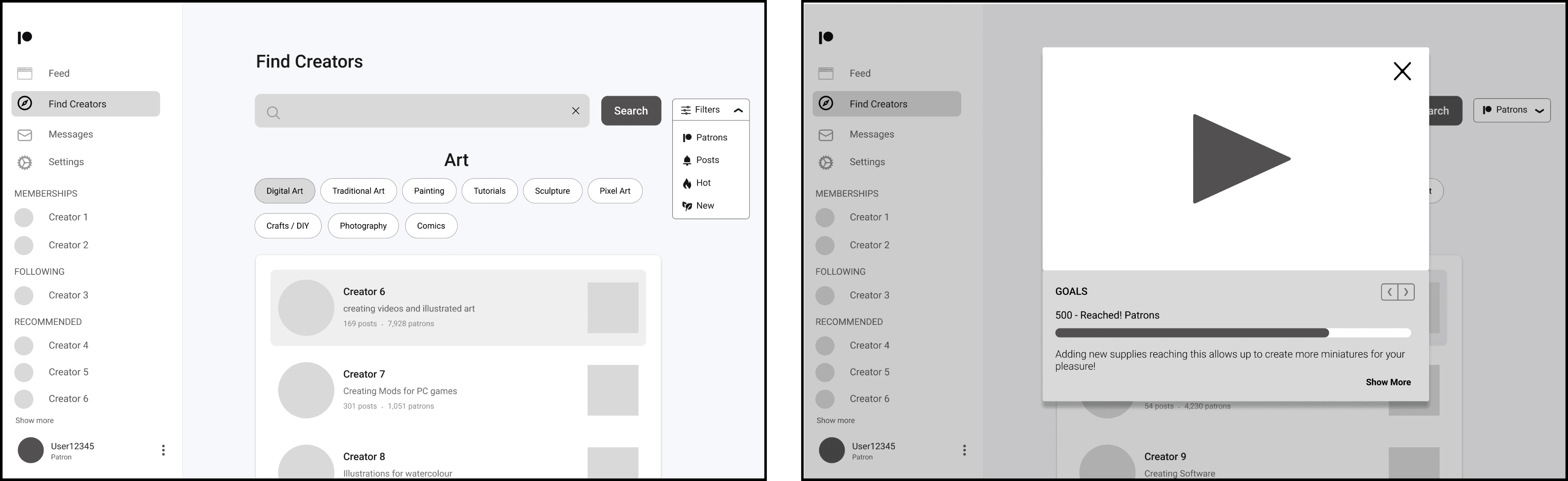
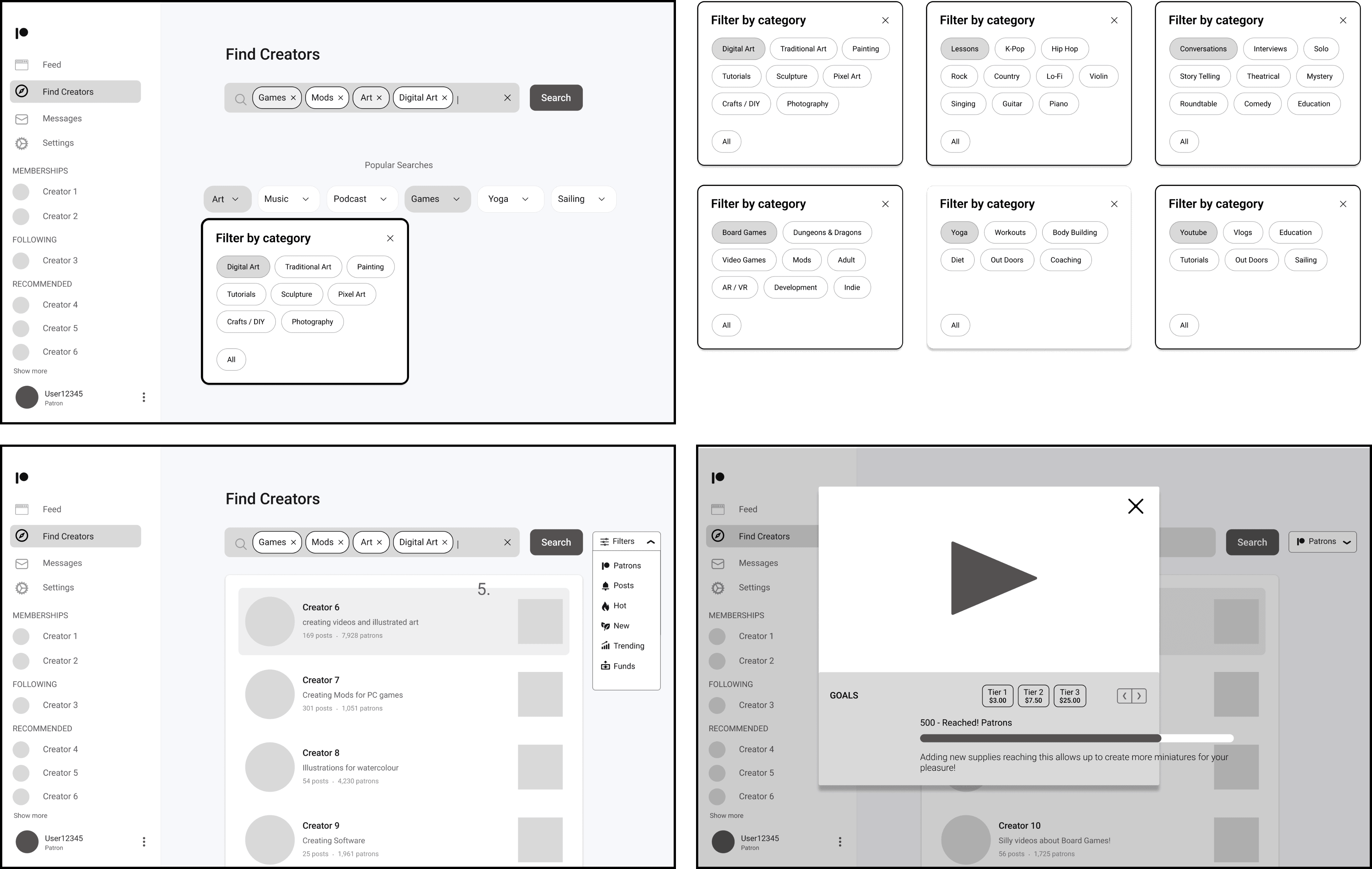
Based on feedback from V2, I moved closer to the final design.
*This iteration most closely resembles the solution later implemented by Patreon.
Improving Sorting
Moving back to a single category selection but allowing multi select for more customized searching.
Back to singular categories
Moving back to a single category selection but allowing multi select for more customized searching.
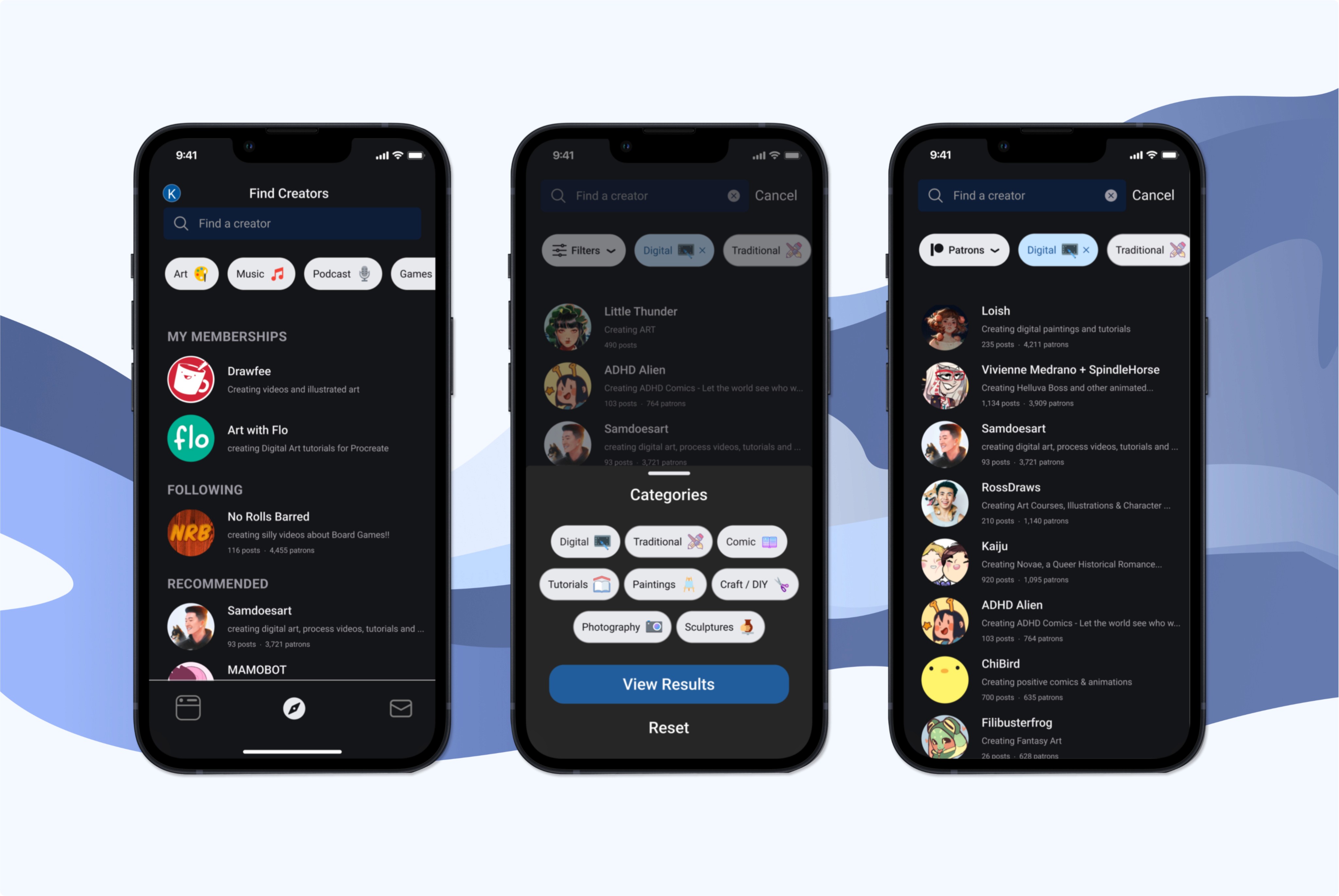
Mobile Touch Design:
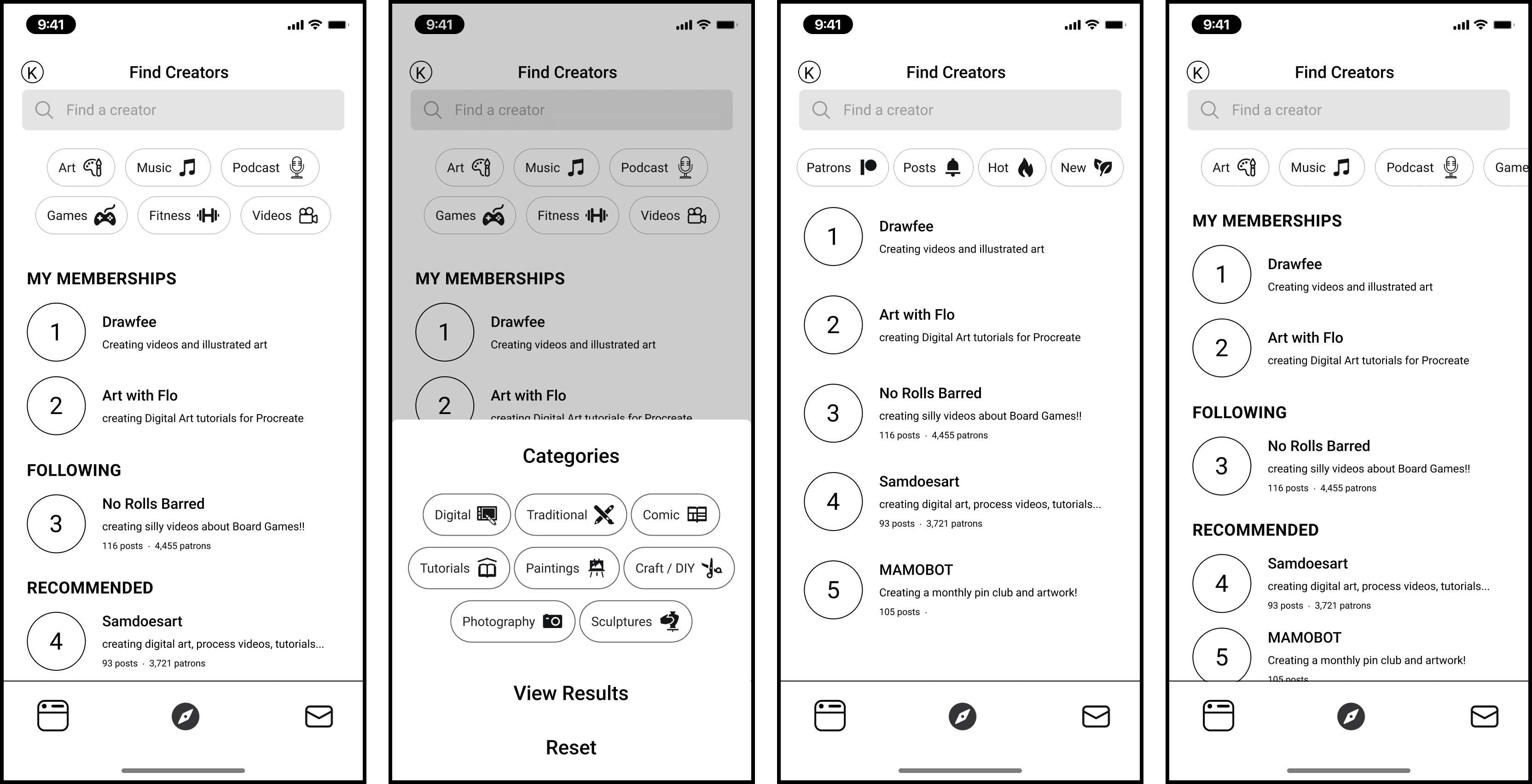
With the desktop version finalized I looked into translating to a mobile design using touch gestures and mobile design. This helped reduced clutter, and kept it as a mobile-optimized experience.
Final Designs
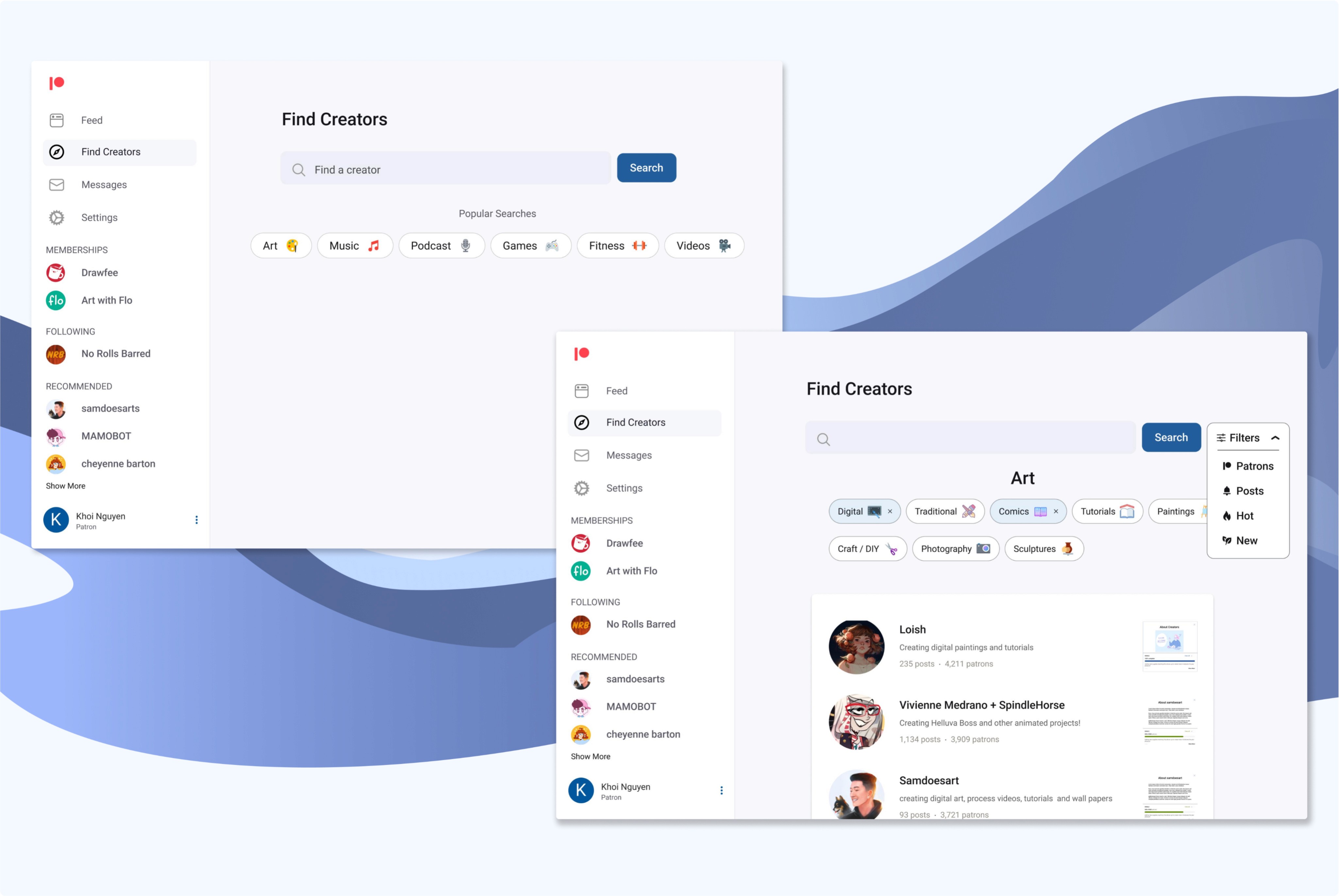
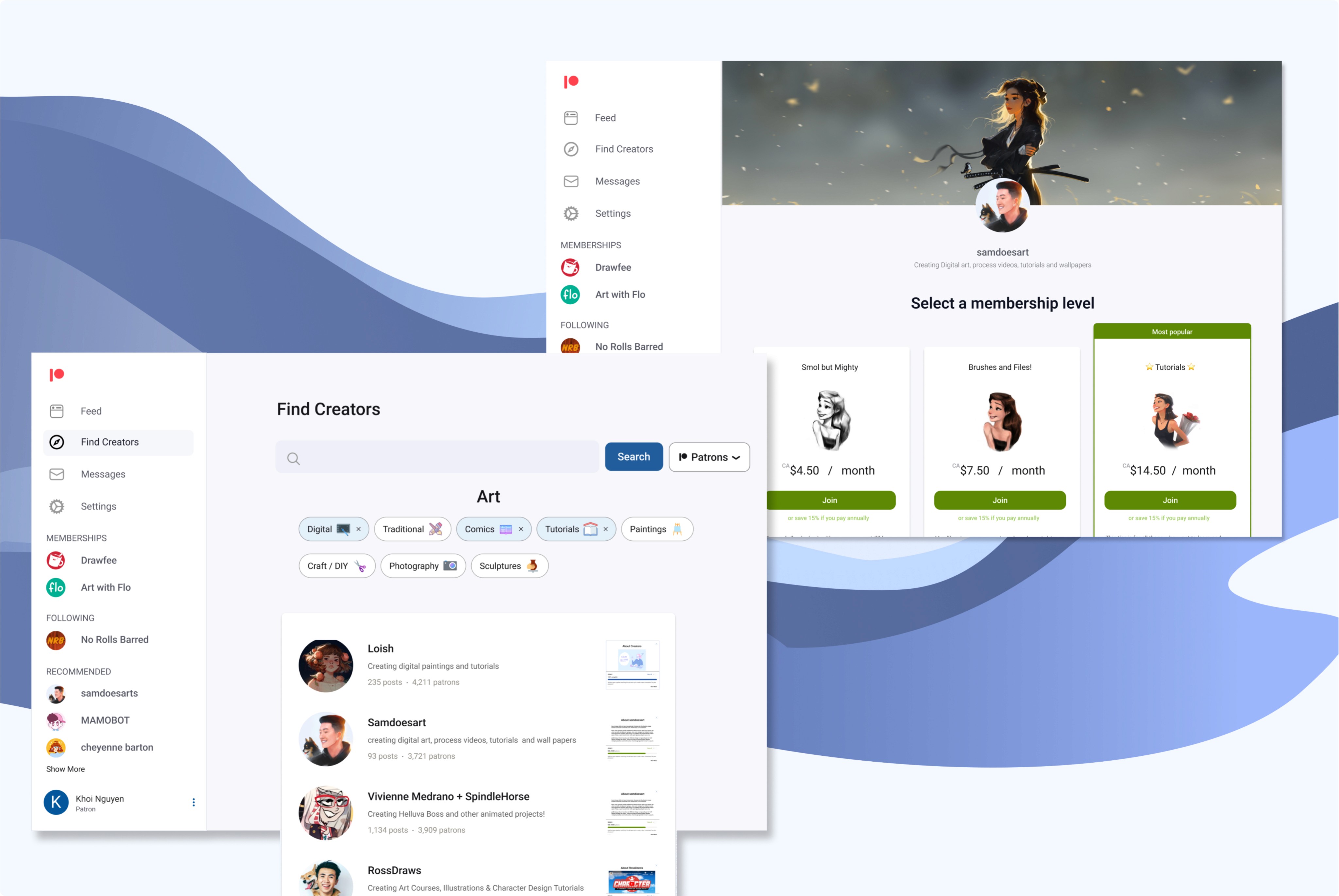
With the feedback from users I finalized my designs to reflect a more optmized discovery process.
Expanded categories and multi tag functionality coupled with a reccomended side bar for creators allowed users to better discover and find creators that suited their taste and niches.
Mobile Designs
Patreon Release Update
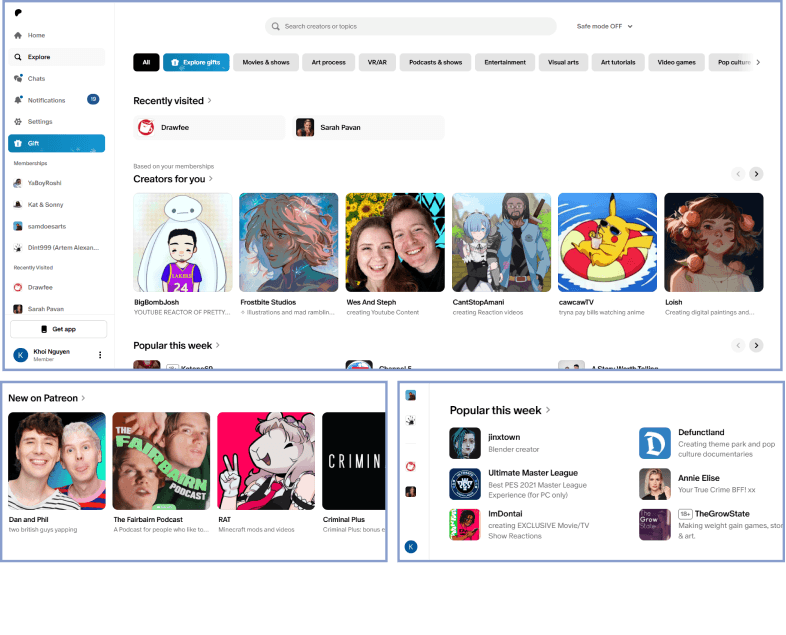
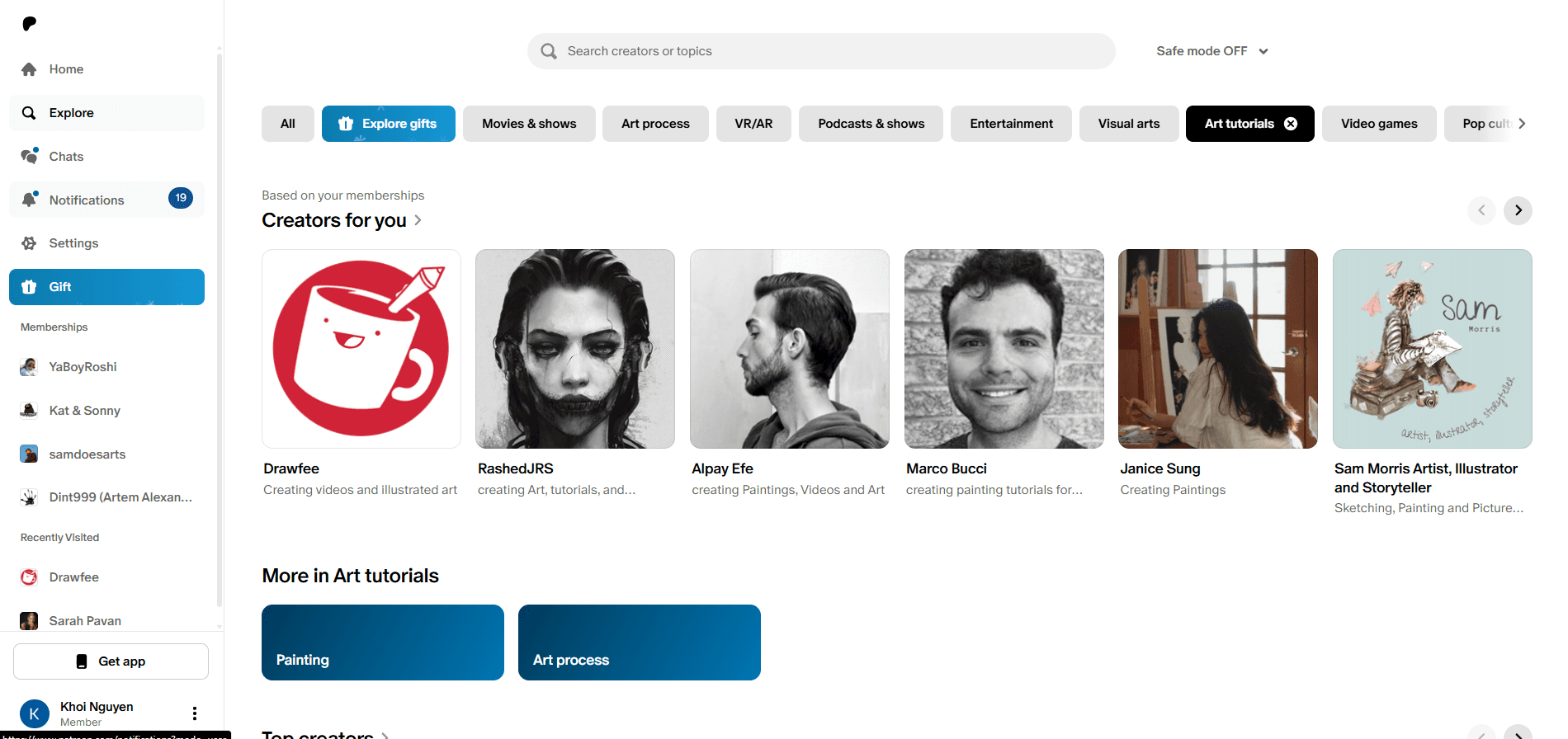
Strategic Validation (Product Foresight) My Version vs Patreon’s
While my UI design resembles Patreons older version, looking at Patreon's recent 2023 update confirmed that the features they launched has overlap with my design for this case study—it shows part of my analysis was spot-on!
Feature
Khoi’s Version
Patreon’s Update (2023)