
Minecraft Dungeons
Overview
Minecraft Dungeons UI Redesign: Applying FPS to Action-Adventure
This case study was developed as part of a UX/UI gaming course focused on applying professional design principles within the gaming industry.
Minecraft Dungeons is a cooperative action-adventure game where players must work together to defeat mobs and save villagers to stop the evil Arch-Illager
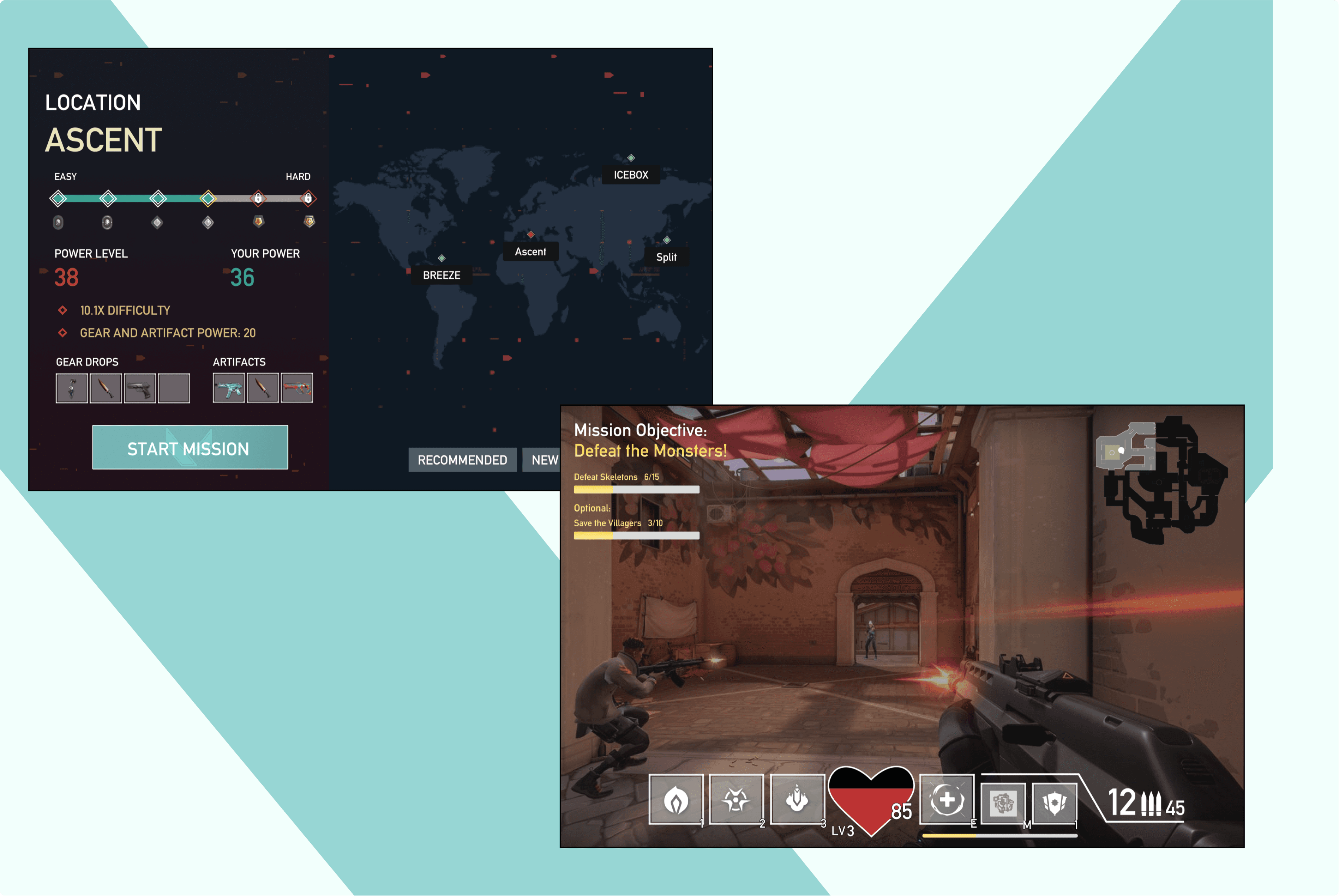
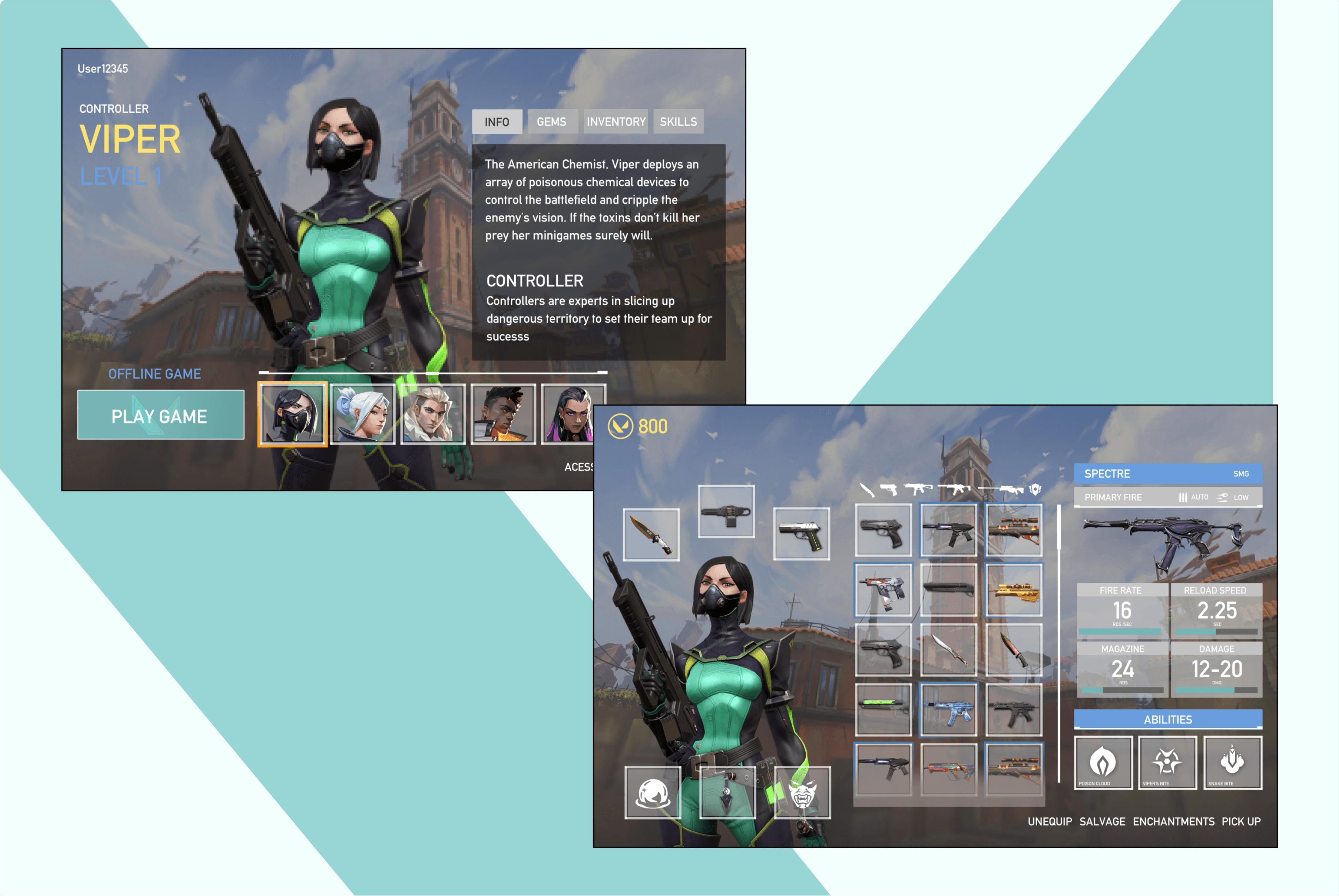
For the redesign, I chose to apply the high-fidelity UI aesthetic and layout efficiency of Riot's FPS, Valorant, to recreate and optimize the Dungeons interface.
Key Results & Value:
Design Strategy: Successfully applying the aesthetic and brand of Valorant to the structure of Minecraft Dungeons.
Player Journey: Broke down the existing journey and used testing to simplify features, streamlining player experience.
Accessibility: Designed final UI that meets accessibility standards (passing colourblind contrast checks) while maintaining the Valorant style.
Role
Research, UX/UI, Prototyping, Graphics
Team
Timeline
8 Weeks
Platform
Gaming
Tools
Figma
Photoshop
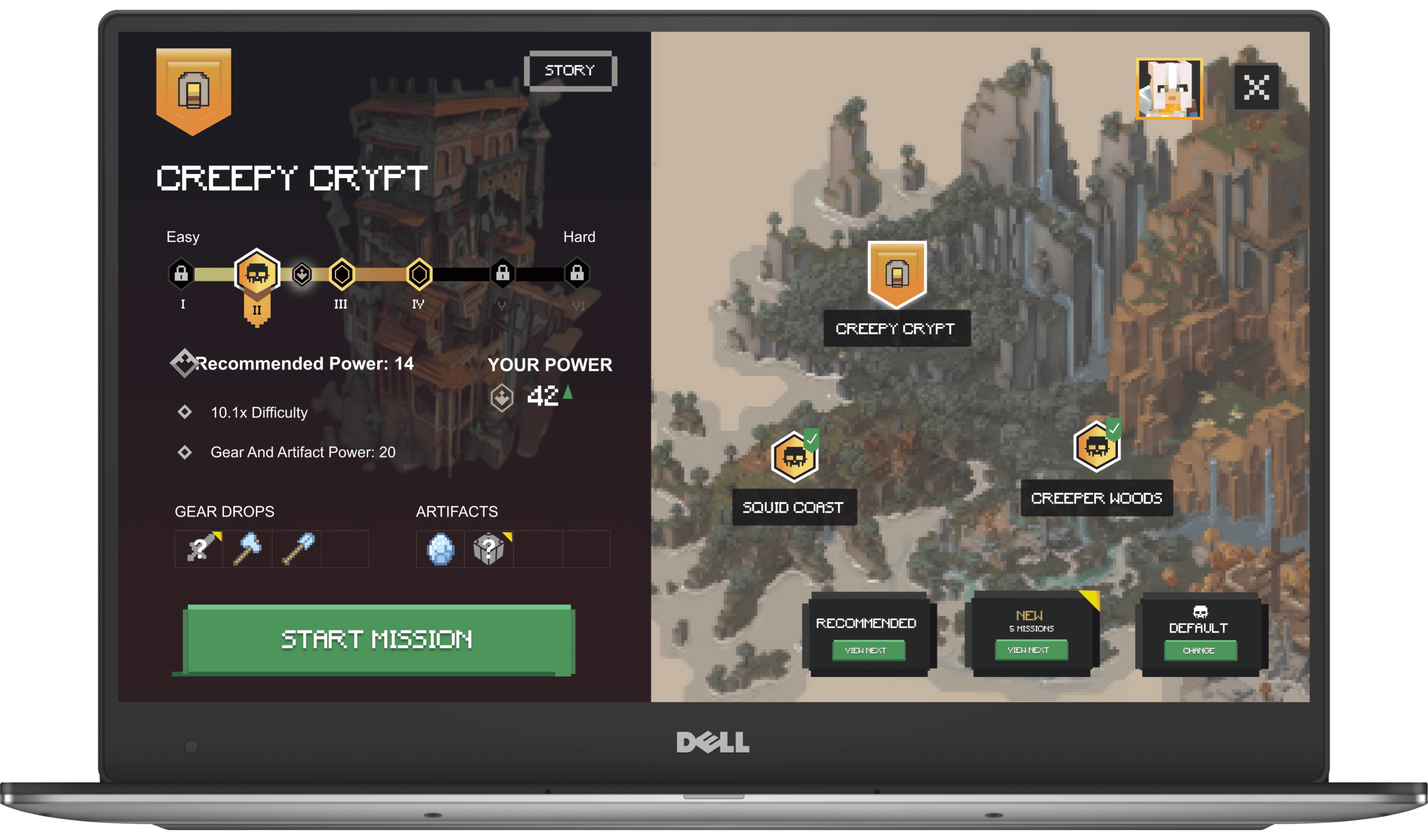
SNEAK PEEK- MINECRAFT DUNGEONS
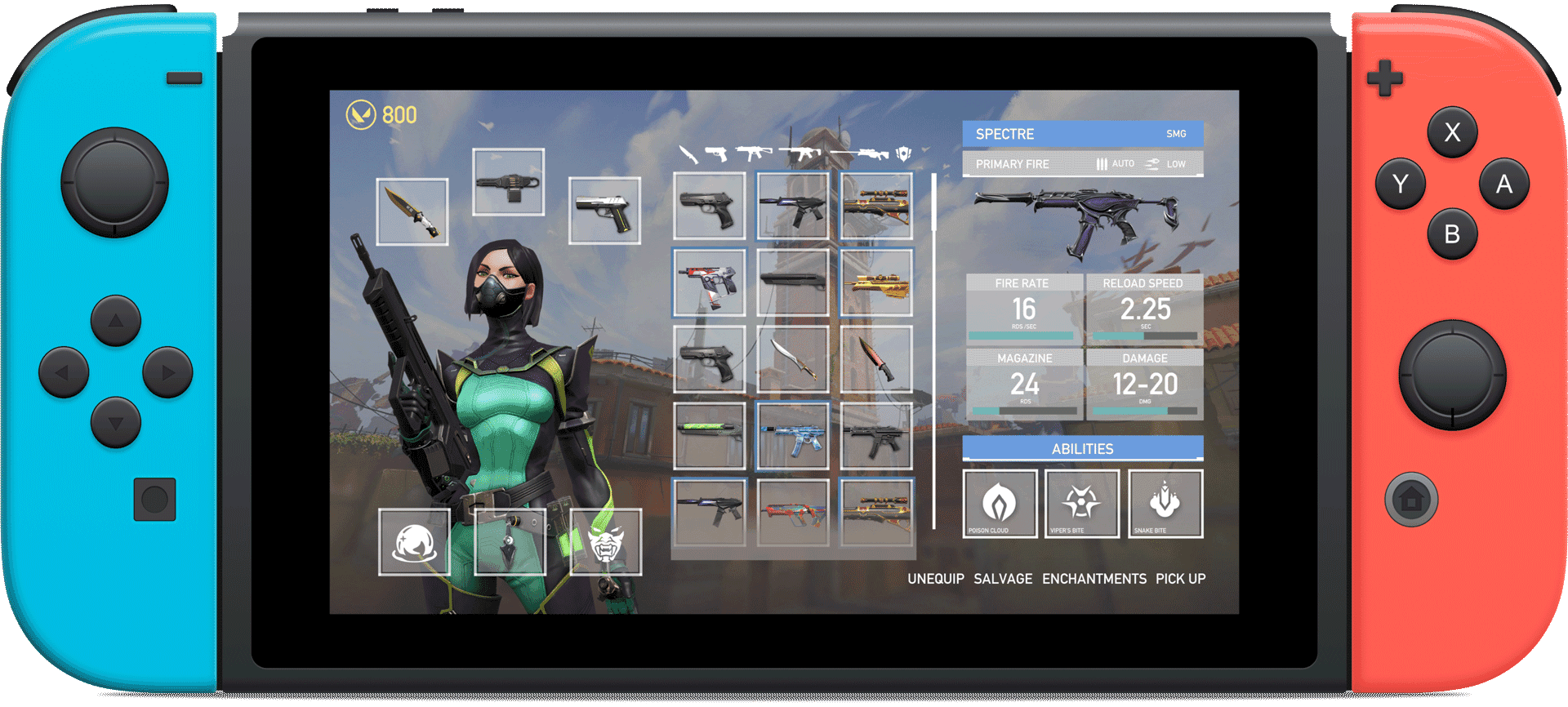
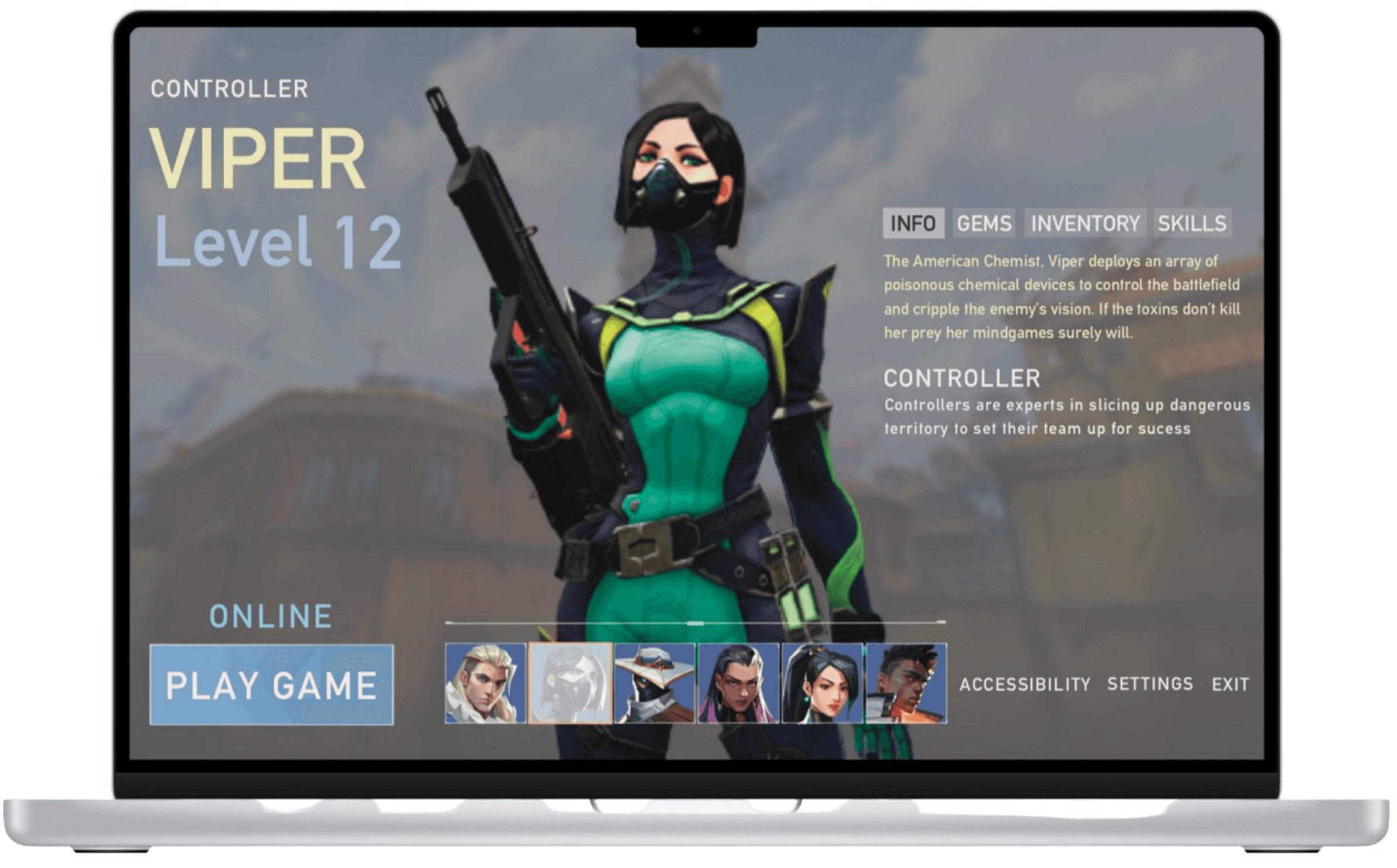
SNEAK PEEK - VALORANT UI
Constraints
Defining the Design Scope
The redesign was executed under three primary challenges that guided the entire process:
🎨 Art & UI Style Fidelity
Applying and integrating the UI aesthetic and design of Valorant (an FPS) onto the existing action-adventure of Minecraft Dungeons.
📖 Optimizing Player Journey
Breakdown the existing player lifecycle to identify pain points and improve the overall User Experience, and more intuitive navigation.
♿ Accessibility Assurance
UI to be more accessible to players with visual disabilities, maintaining colour contrast, typography, and visual clarity across all elements.
Player Journey:
Deconstructing the Game Loop: Pinpointing Player Pain Points
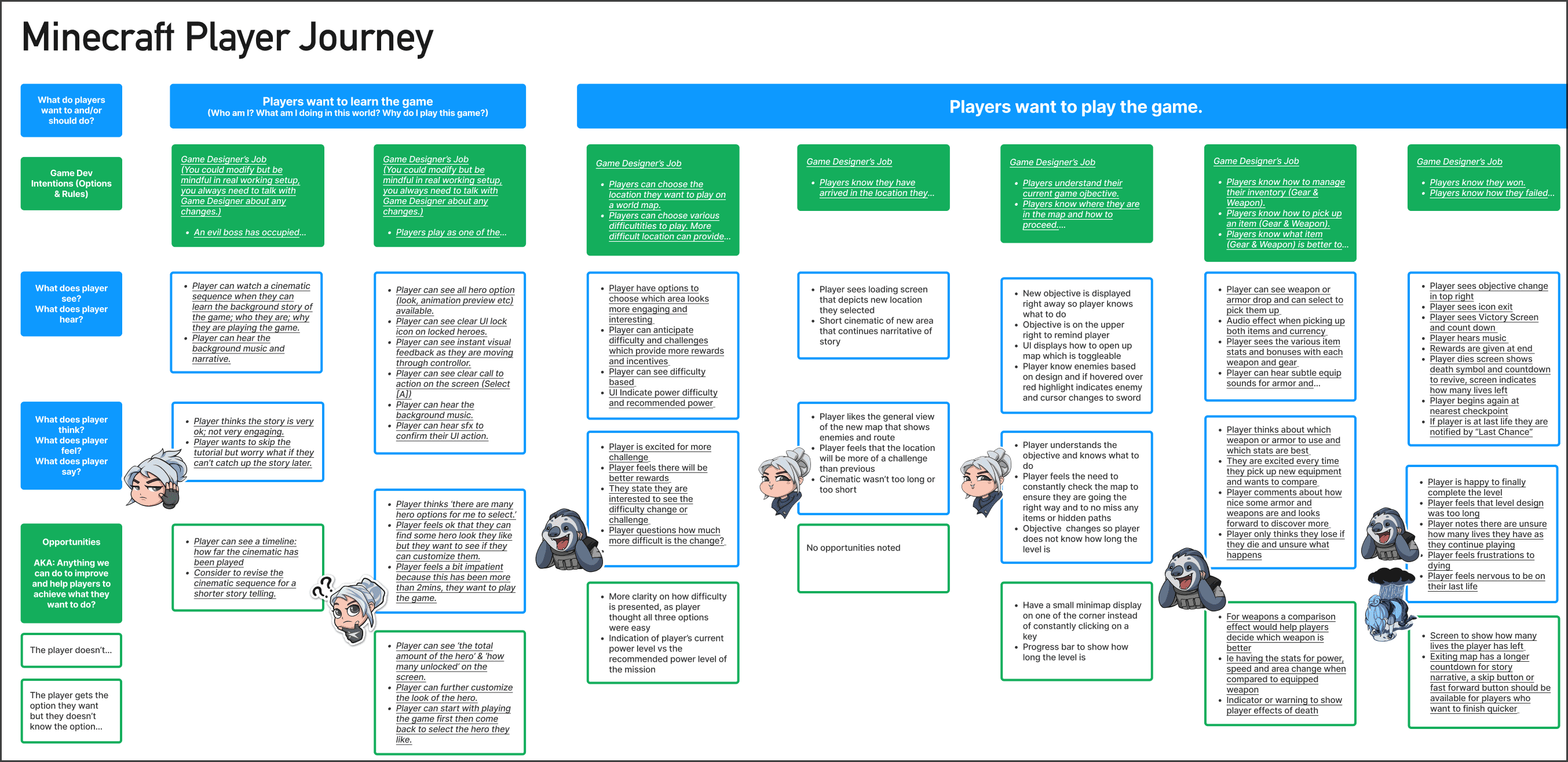
As a newcomer to Minecraft Dungeons, I strategically used in-depth gameplay videos to quickly immerse myself in the player experience and identify opportunities for UX improvement.
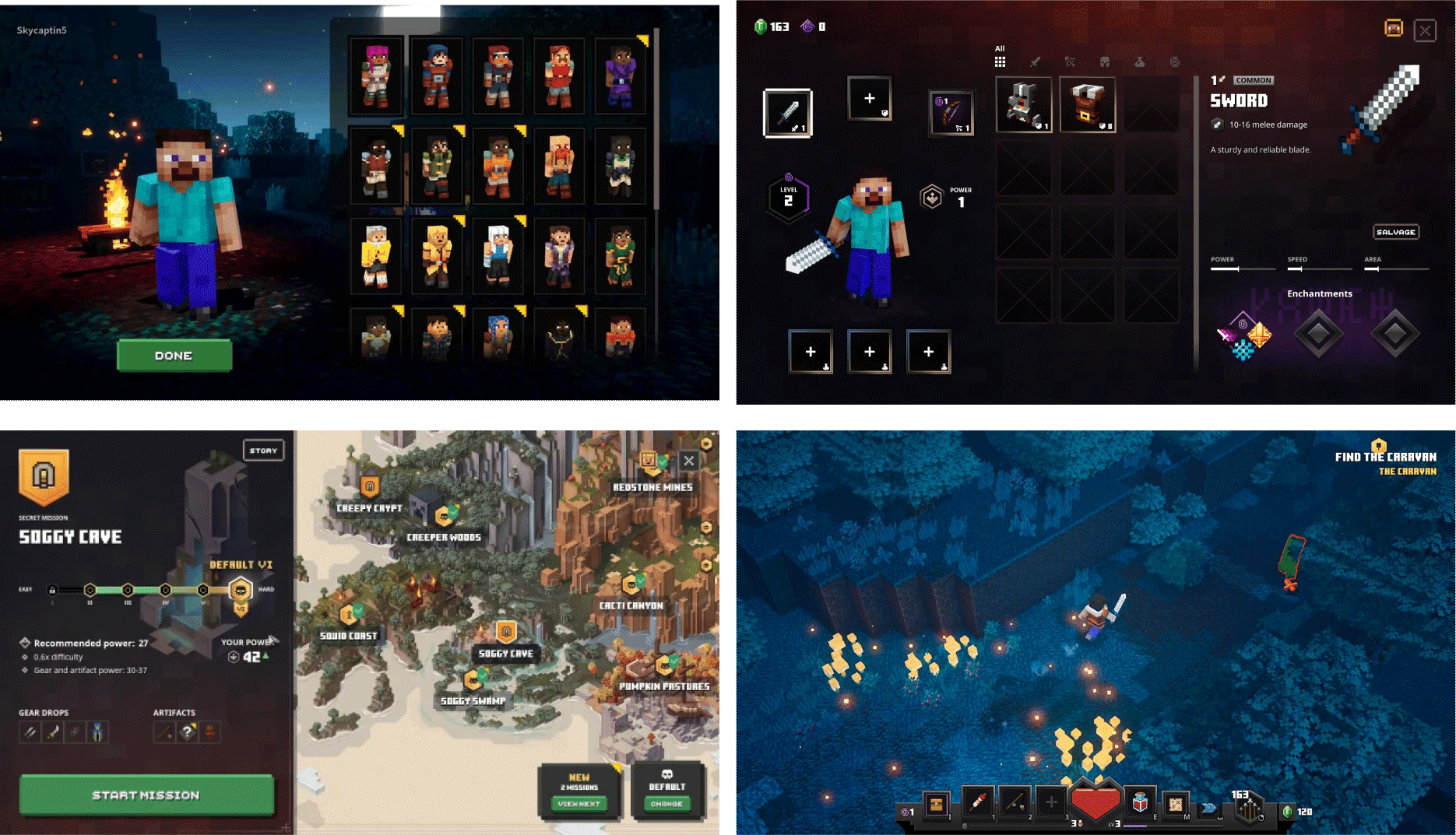
Observing and noting player thoughts regarding both the menu systems and in-game mechanics, I created a detailed Player Journey Flow.
Journey Map
Detailed flowchart of specific stages of an order lifecycle, from Pending to Processing to Shipped, as well as Rejected and all cancellation paths (Worker requests, Admin approval/denial, Admin-initiated cancellations).
Ideation
PAPER PROTOTYPE & FLOW CHART
The initial Player Journey flow contained dense information. To sort and simplify this data into actionable design steps, I transitioned to low-fidelity tools.
Paper Prototype
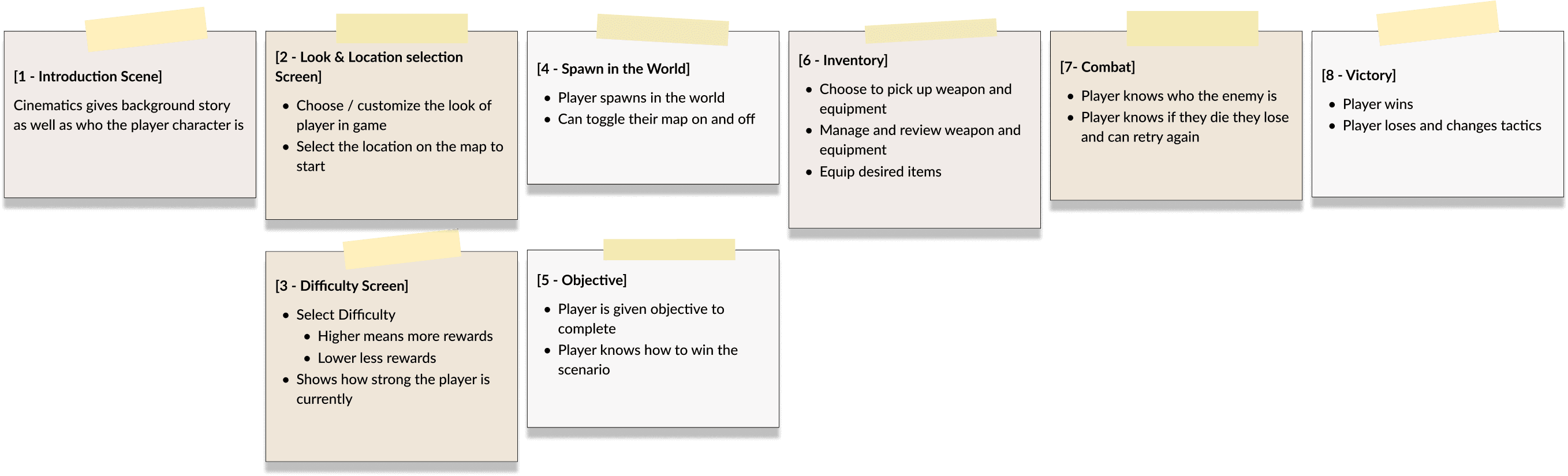
The Paper Prototype: Helped outline the core steps and choices available to the player. This helped later in my wire framing to prioritize screens.
Flowchart
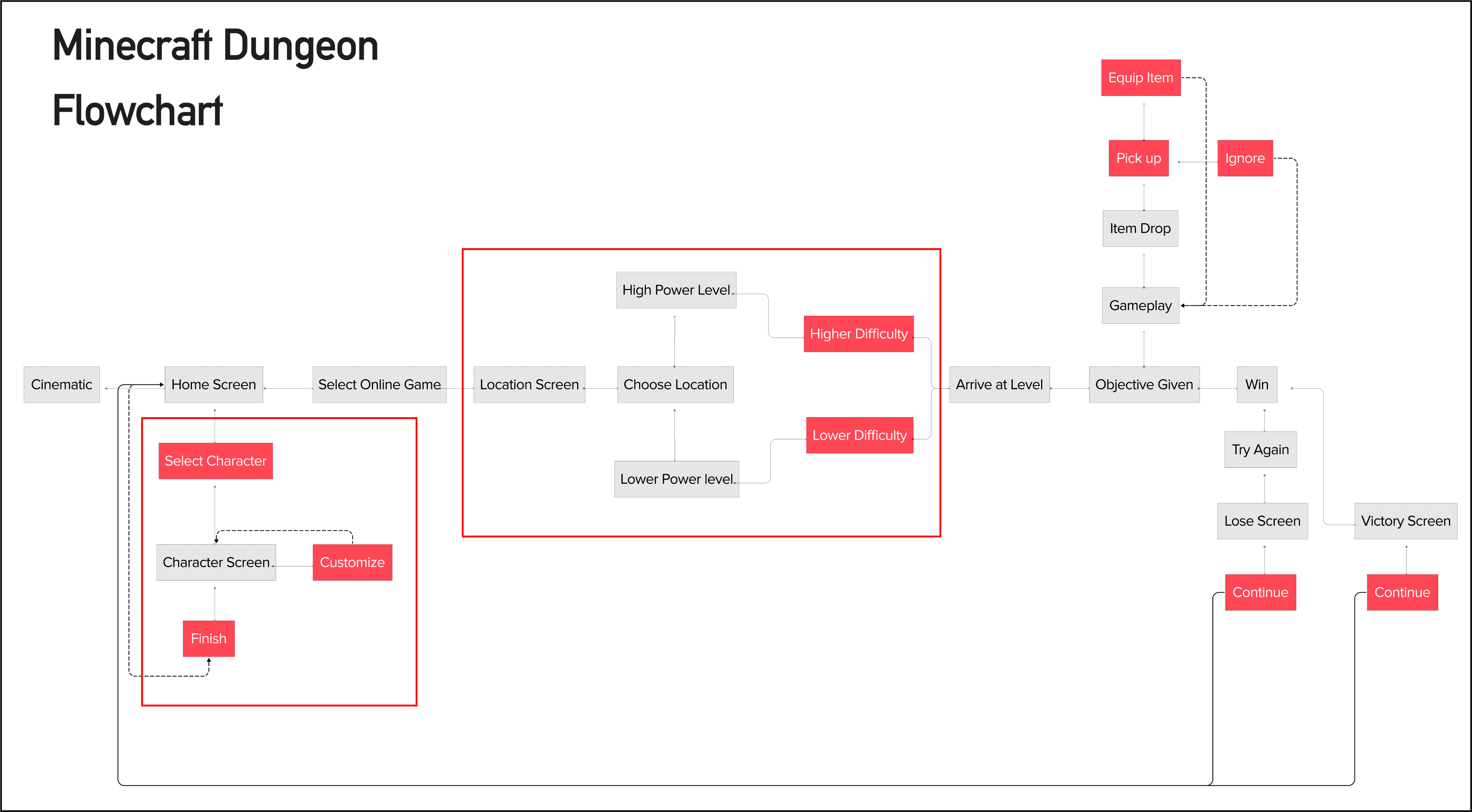
Using the paper prototype as a base, I expanded into a flowchart . This map served as the blueprint for where I should be streamlining the player experience, identifying areas where navigation could be improved.
Wireframing
Blueprinting the Game Flow and HU
My initial wireframes focused on testing UI changes to key game screens to improve player decision-making and in-game information delivery.
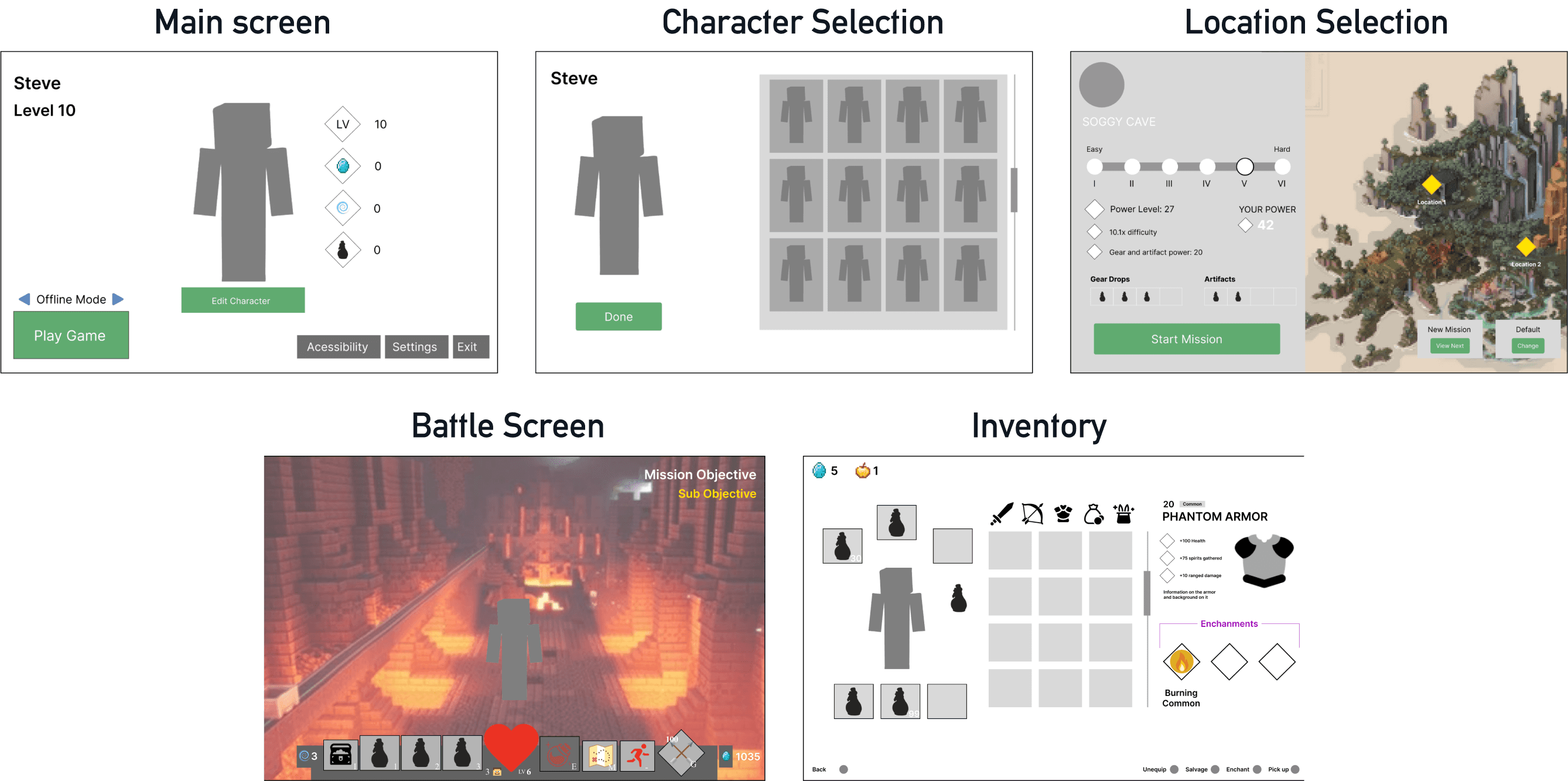
Character Selection
Replacing skin selection with a "Hero Feature." This narrowed options and made player choices more impactful and selective, moving beyond just cosmetics.
Location / Difficulty
"Recommended" button that preselects location and adjusts difficulty based on player's current power. Helping players jump into gameplay tailored for them.
Gameplay HUD:
Improved navigation, adding a mini-map, for players to reference. Mission Objectives were moved to the left and expanded. The bottom HUD was altered to focus on skills and items.
Usability Testing
Playtesting the Wireframes: Identifying gaps in the UX.
Throughout the wireframing phase, I conducted usability testing with 3 classmates to quickly determine if the structural changes improved the overall player experience.
Category
Character Selection
Location/
Difficulty
Wireframing
Peer & Instructor Feedback
Users viewed skins strictly as cosmetics and were not fully onboard with the "Hero Feature."
The screen felt busy due to the amount of customization options added.
Instructor noted that low-fidelity testing must prioritize design logic over visuals to prevent distraction.
Action / Learning
Revert the design focus back to cosmetic customization and away from functional hero selection.
Simplify the customization and location settings to reduce friction for the player.
Refined future testing protocol to ensure visual elements are removed or minimized during low-fidelity validation.

Visual Design & High-Fidelity
Cross-Game UI: Valorant-Tier Visuals
This phase I practiced by UI skills adhering to stylization and brand guidelines of both games
Minecraft Dungeons - Foundation
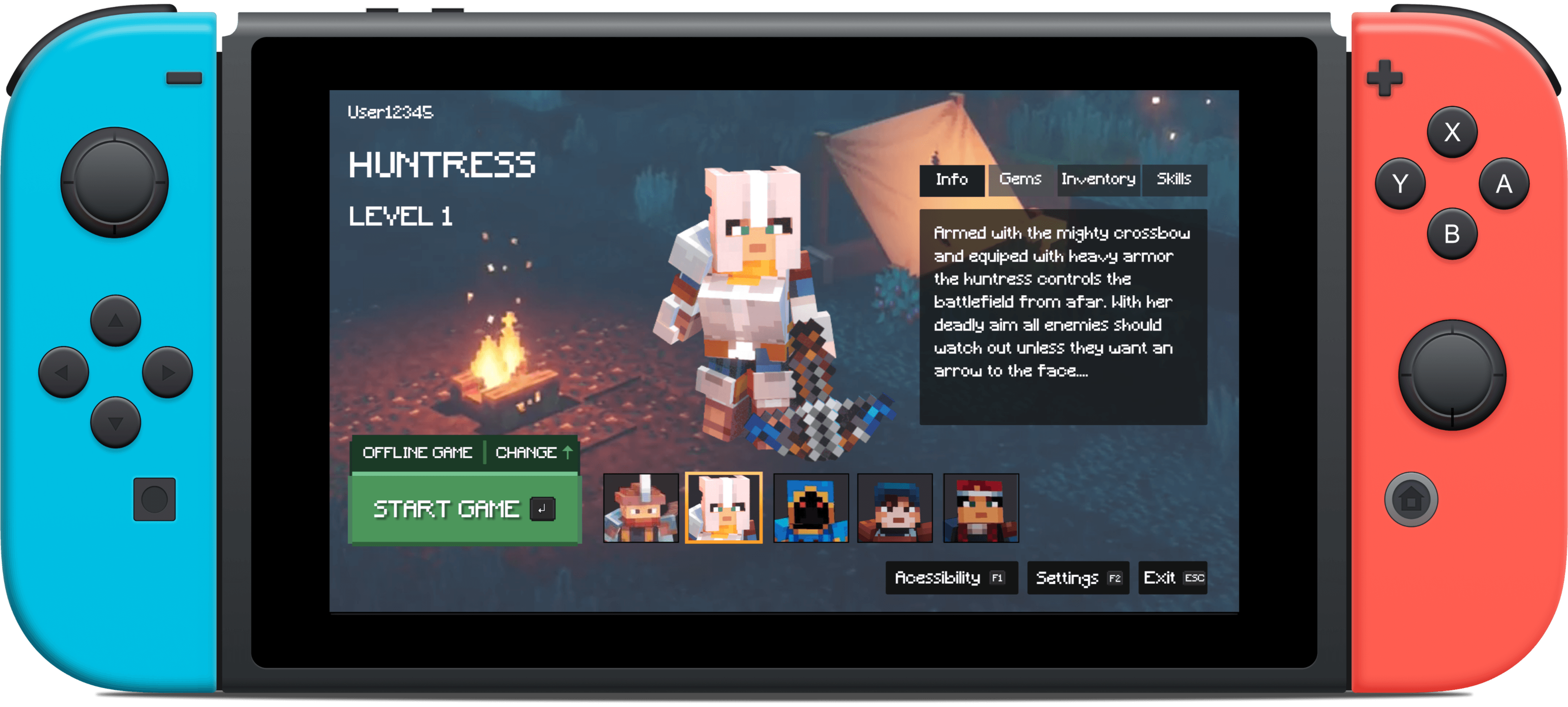
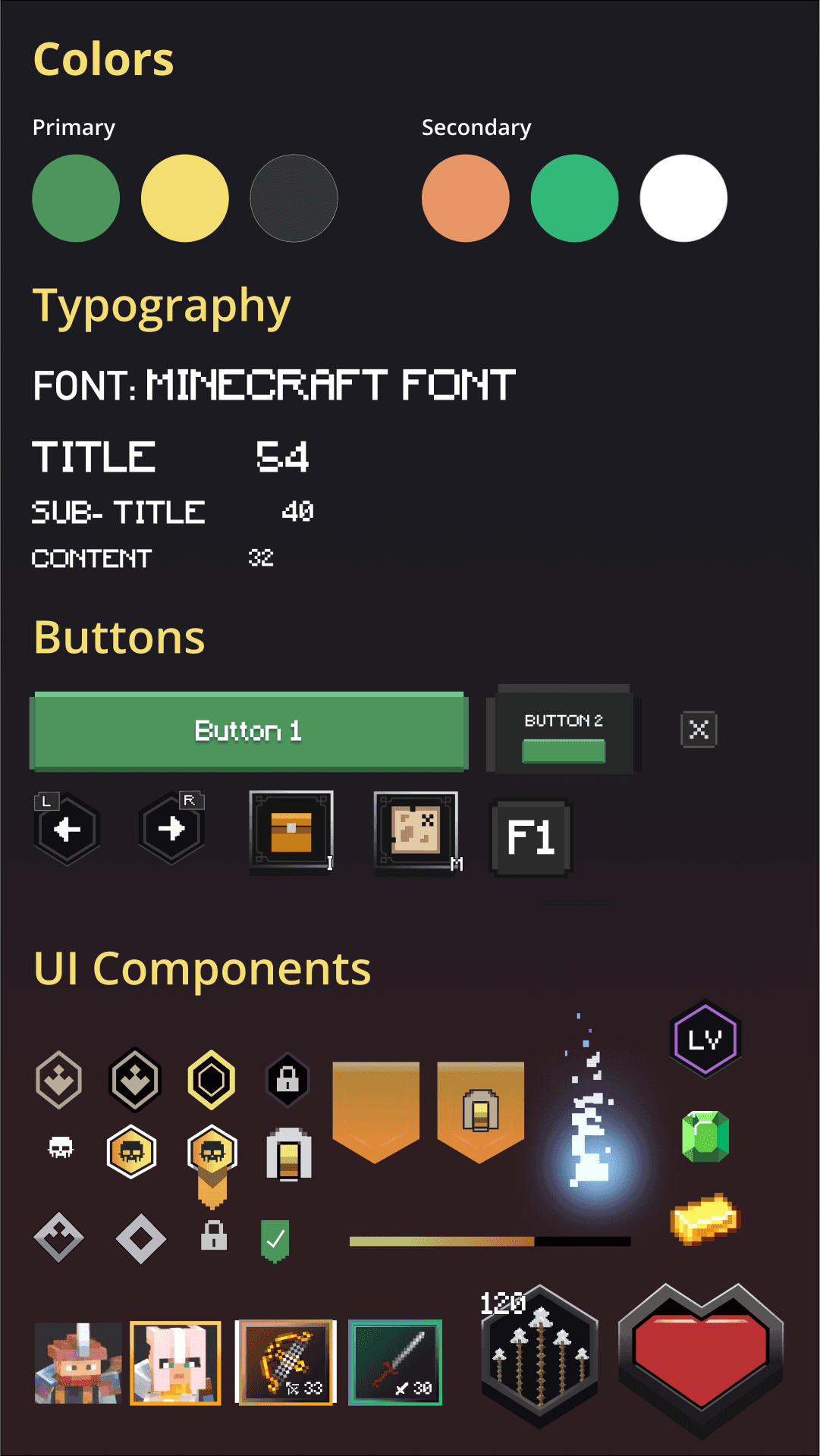
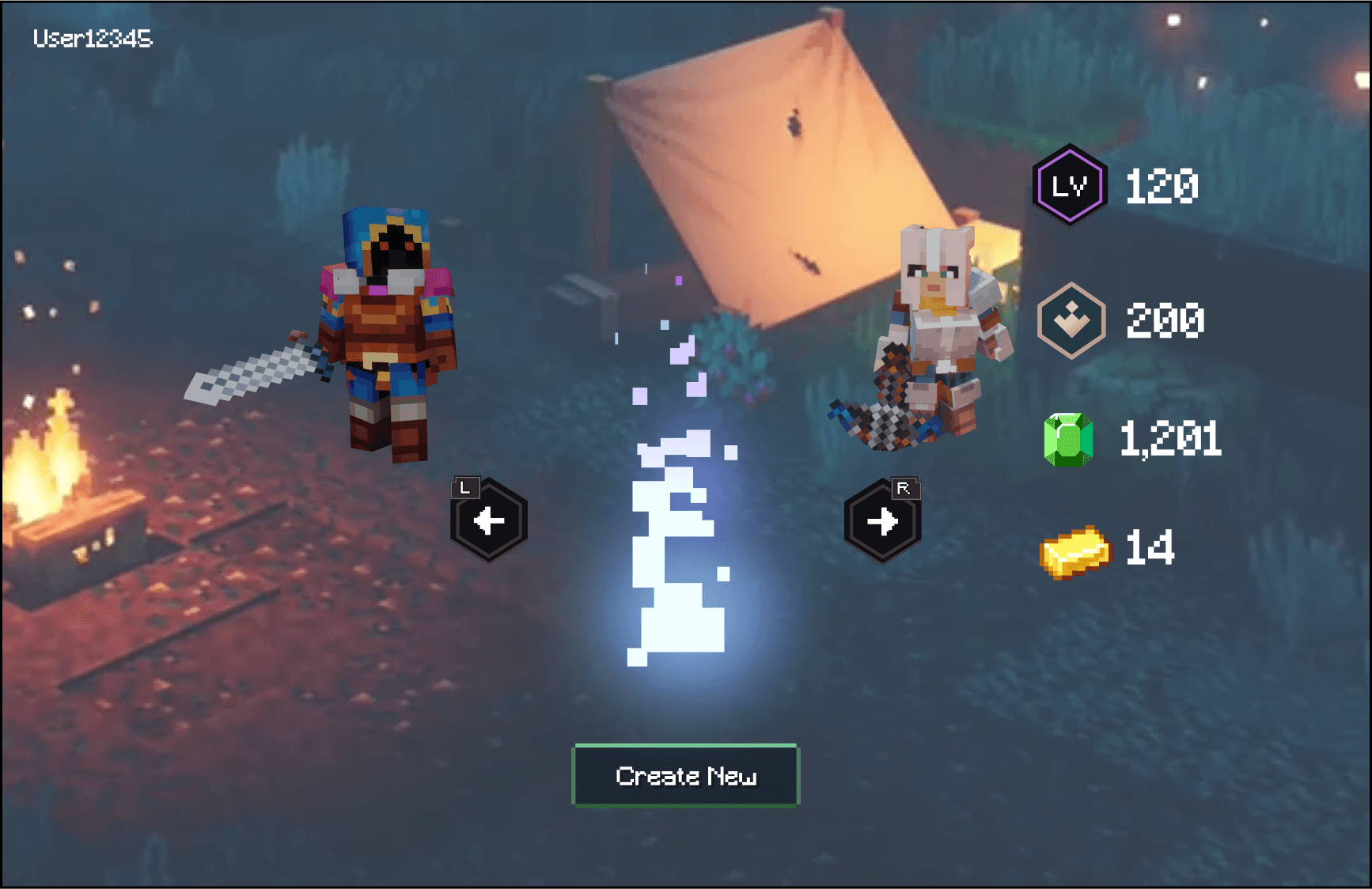
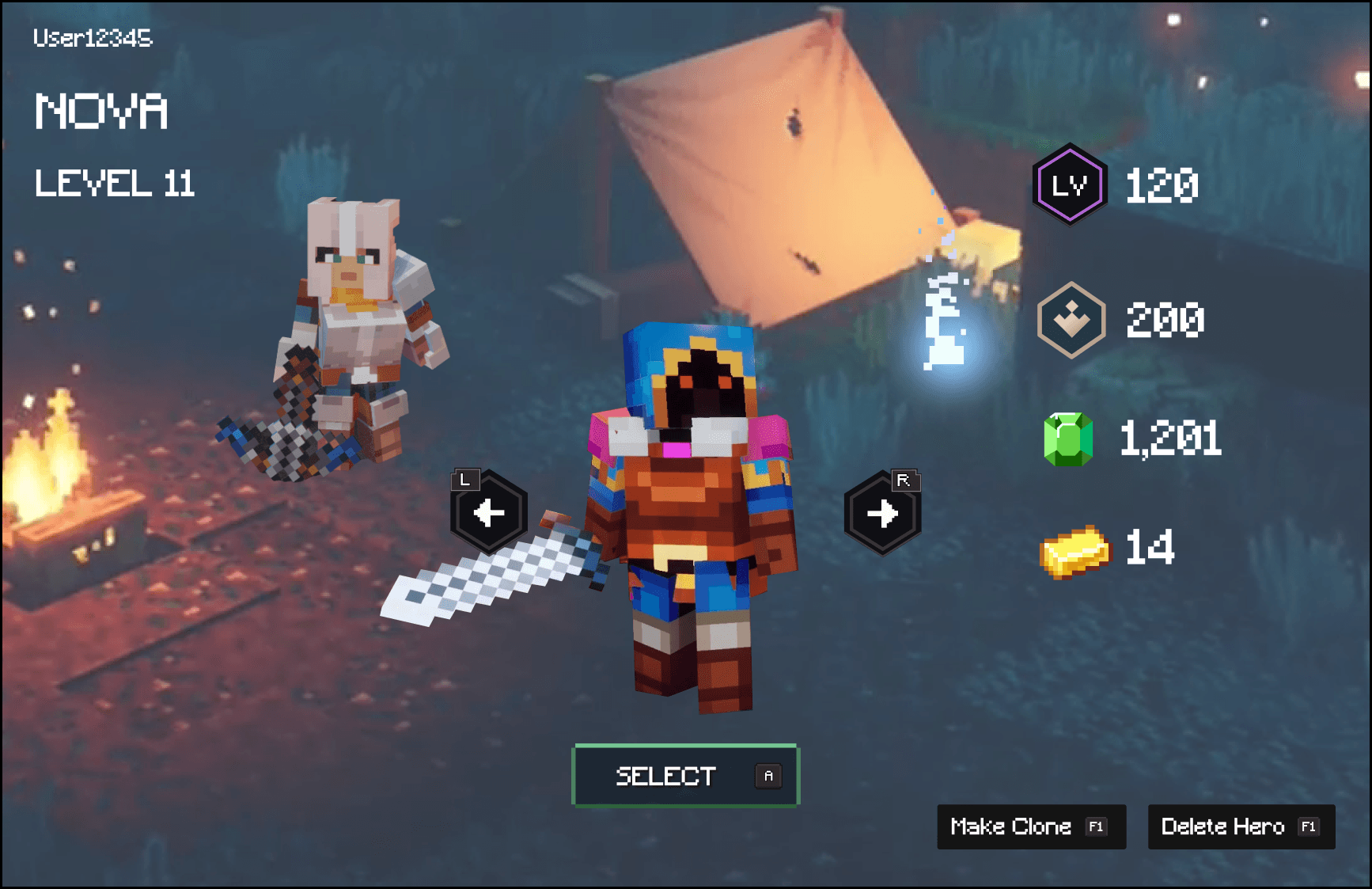
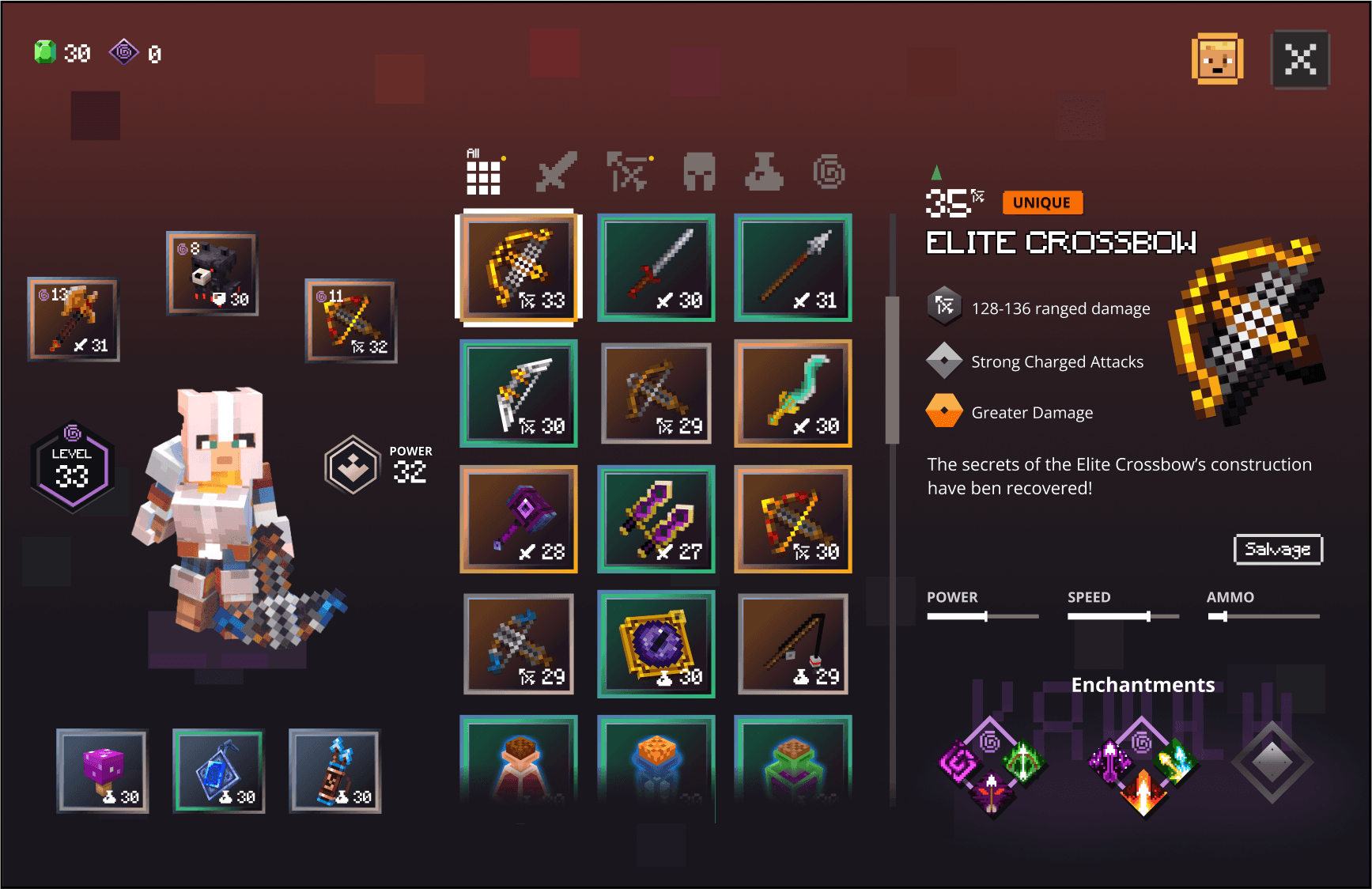
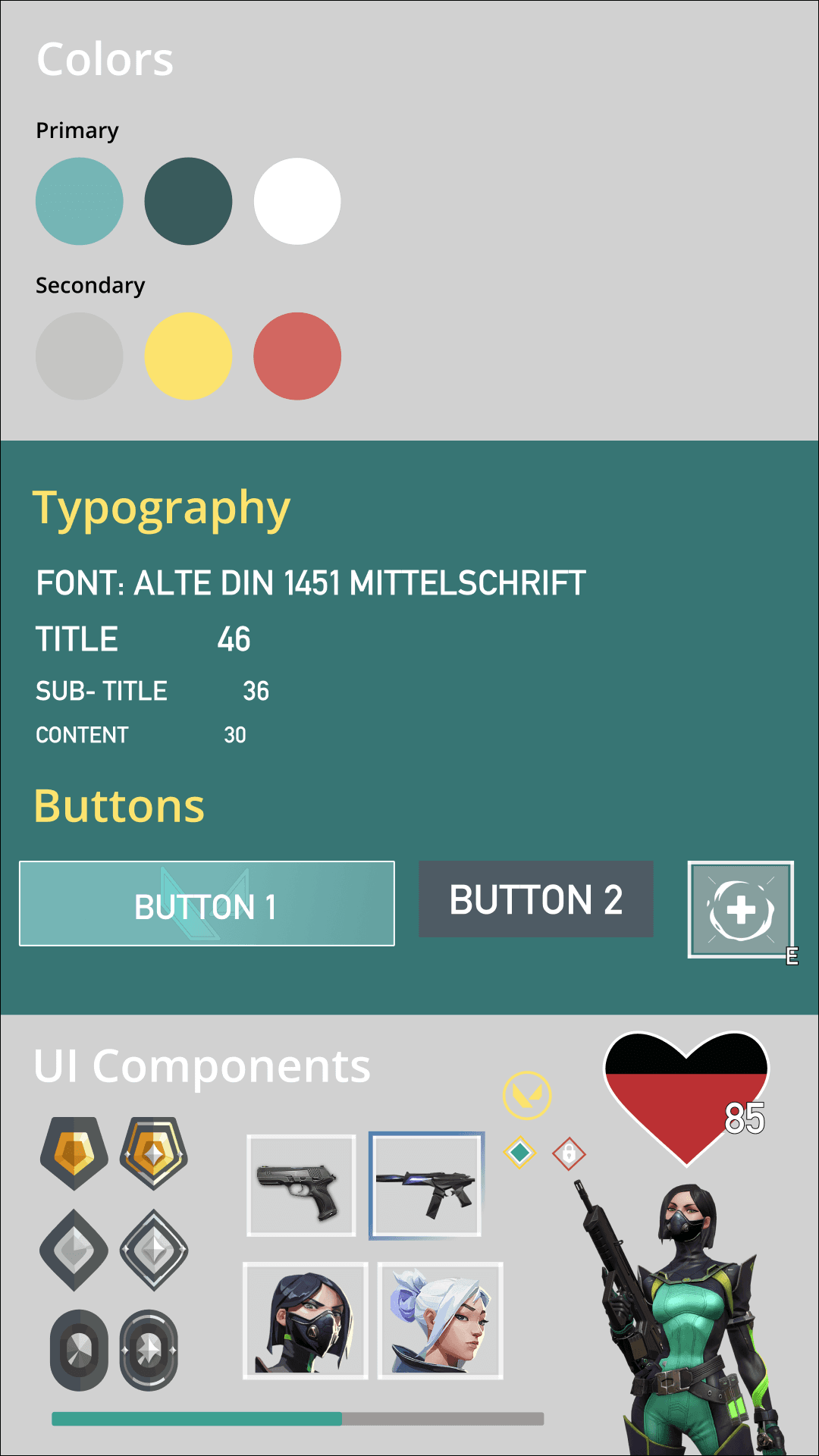
I started off a with Minecraft Dungeons UI and brand style, recreating the game's icons, typography, and colour palette to build a Brand Style Guide. This ensured future the redesign would have visual consistency.
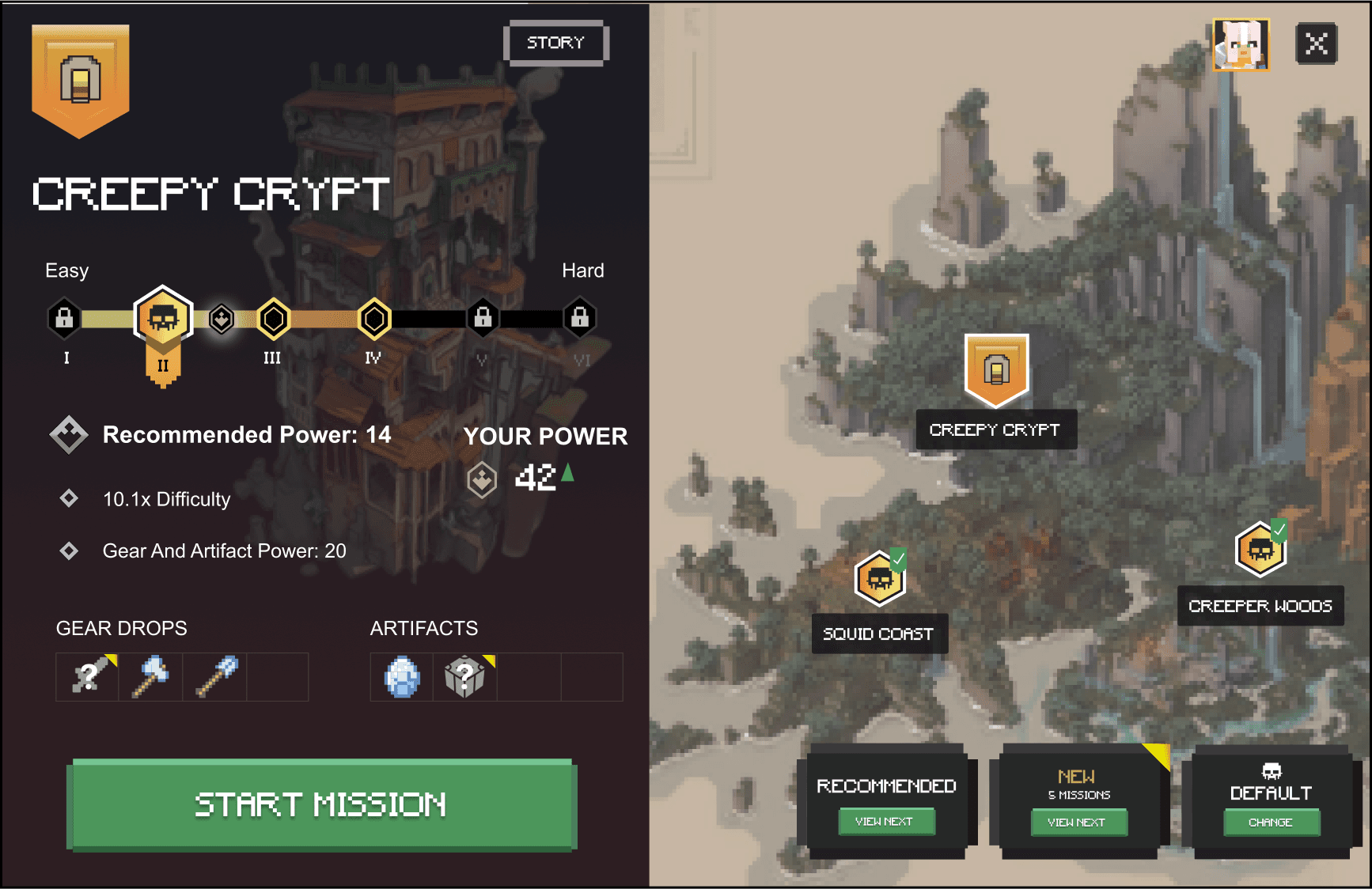
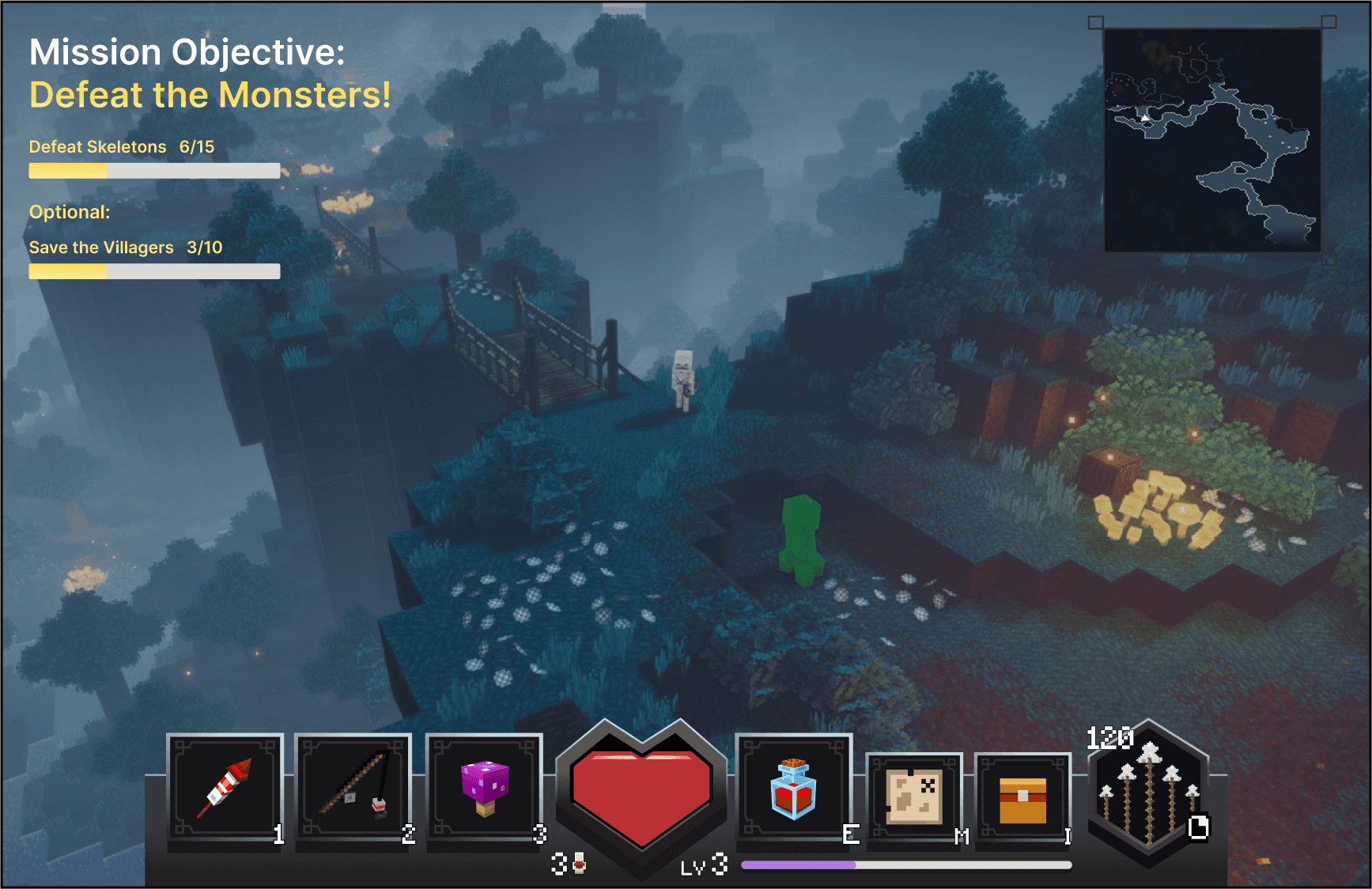
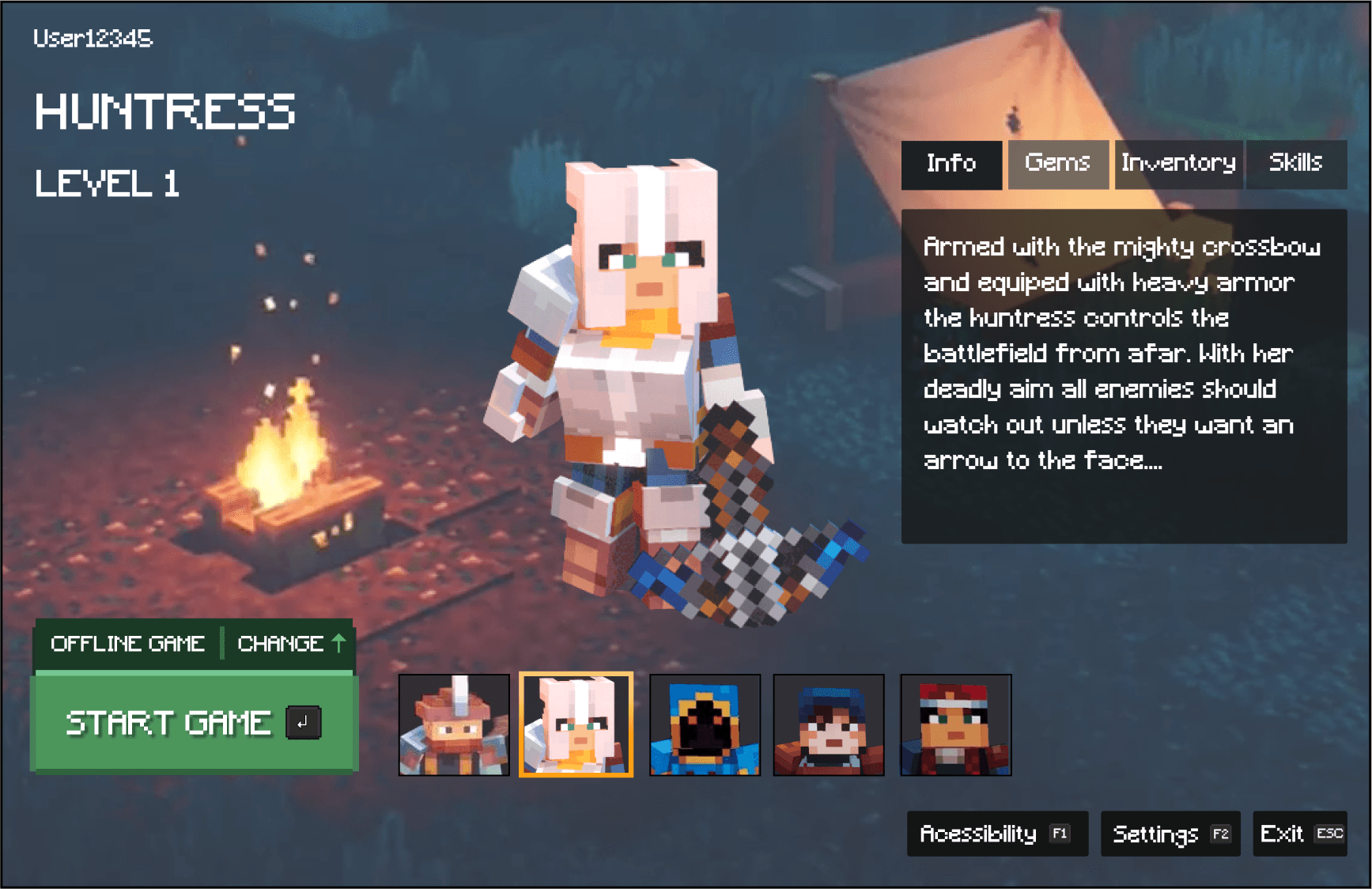
The Minecraft version of the mock-ups served as templates for the Valorant UI application.
Valorant Aesthetic
As a requirement by the course, the challenge was to apply a different UI style. I chose Riot's Valorant due to its unique stylization and flair. Using a mood board , I analyzed fonts, color scheme, and clean UI elements.
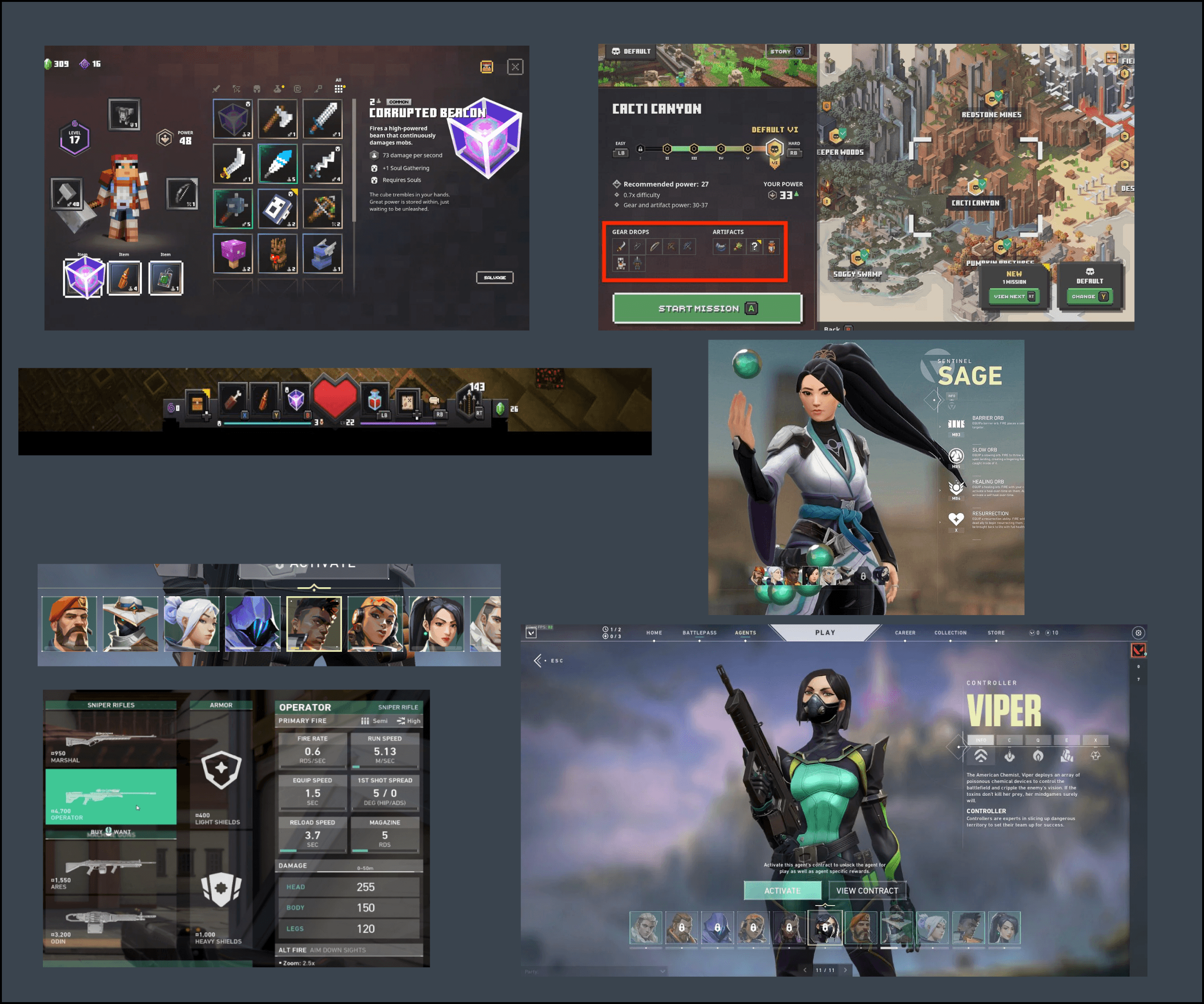
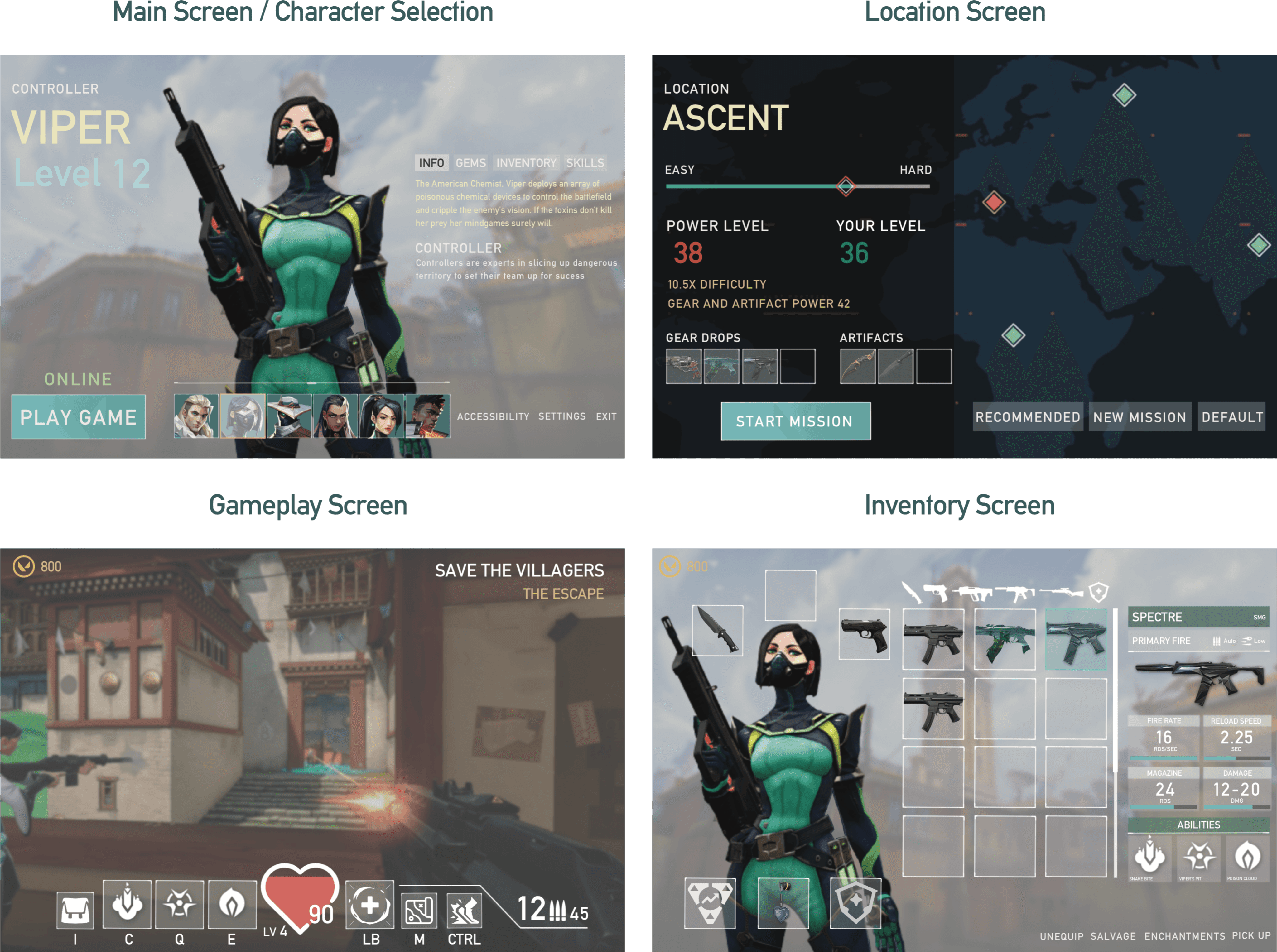
Using both the moodboard and the mockups I began work translating the Valorant Style onto the Minecrat Dungeon screen layout.
The updated mockups showcase the application of Valorant's UI and brand onto the Minecraft Dungeons gameplay screens.
Accessibility
Ensuring Visual Clarity for All Players
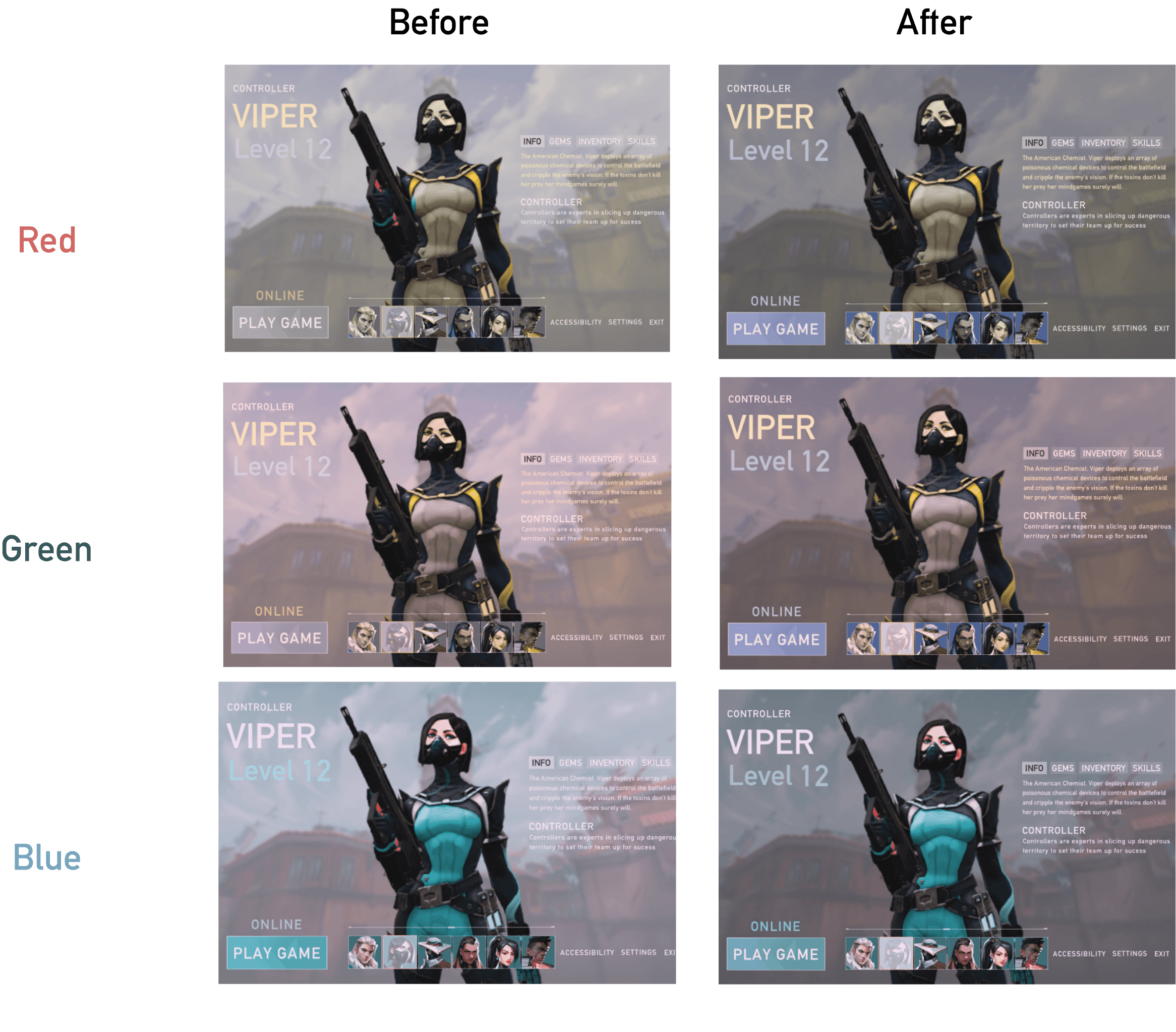
With the Valorant Mockups I conducted an accessibility test to ensure that it meet contrast and colour standards.
Using a colorblind simulator, I discovered that the design initially failed the red and green colour test, and the contrast with light backgrounds reduced readability.
To fix this, I adjustment the following: darkening the backgrounds to improve contrast and shifting the colour palette to ensure accessibility compliance and readability for all players.
Final Designs